10+ Best Pre-Construction Estimator Templates & Software (2026)
A single miscalculated line item can turn a profitable project into a six-month nightmare. Contractors lose bids because their estimates run too high, or win them and bleed margin because critical cos...

A single miscalculated line item can turn a profitable project into a six-month nightmare. Contractors lose bids because their estimates run too high, or win them and bleed margin because critical costs never made it into the spreadsheet. A pre-construction estimator template solves both problems by giving you a structured, repeatable framework that catches scope gaps, applies markup consistently, and produces client-ready proposals in hours instead of days.
General contractors, subcontractors, and estimators use these templates to organize direct costs, indirect overhead, profit margins, and contingency buffers in one place. The result is a bid that protects your bottom line and gives clients the transparency they expect. When you build estimates in a standardized format, you can compare job performance across projects, spot pricing trends, and hand off budgets to project managers without translation errors.
What Is a Pre-Construction Estimator Template and Why Contractors Need One
A pre-construction estimator template is a structured spreadsheet that breaks down every cost category in a construction project, from labor and materials to general conditions and profit. It replaces the chaos of scattered notes, vendor quotes, and mental math with a single source of truth that calculates totals, applies markups, and flags missing items before you submit the bid.
Contractors need this tool because cost overruns and bid losses both trace back to the same root cause: inconsistent estimating. When you estimate one job with a napkin sketch and the next with a detailed breakdown, you can't compare margins, learn from past projects, or defend your pricing to clients. A template enforces the same logic every time, so you catch scope creep during takeoff instead of during construction.
The stakes are high. Nearly 90% of surveyed contractors have implemented estimating software in some capacity, and 64% use it on every project. That shift reflects the industry's recognition that manual workflows create margin leaks, double-entry errors, and slower turnaround times. A well-built template gives smaller teams the same consistency and transparency that enterprise software provides, without the subscription cost or learning curve.
Core Components Every Pre-Construction Estimate Should Include
Every complete pre-construction estimate stacks the same building blocks: direct costs, indirect costs, overhead, profit, and contingency. Miss one category and your bid either loses the job or loses money once you start work.
Direct costs cover labor, materials, and equipment tied to specific scope items. These line items roll up into trade or phase subtotals. Indirect costs include general conditions like site supervision, temporary utilities, and permits. Overhead accounts for your office rent, insurance, and administrative salaries. Profit is the margin you need to stay in business. Contingency is the buffer that protects you when unforeseen conditions appear.
The percentages vary by project type, but commercial tenant improvement jobs often follow this pattern: general conditions at 8% of direct costs, overhead at 10%, and profit at another 10%. A typical commercial TI pre-construction subtotal might land around $14,300 before markup. These benchmarks give you a starting point, but you adjust them based on project complexity, risk, and market conditions.
Direct Costs: Labor, Materials, and Equipment
Direct costs are the easiest to quantify and the hardest to estimate accurately. You need unit costs, quantities, and labor hours for every trade, then multiply them out and sum them by phase or CSI division.
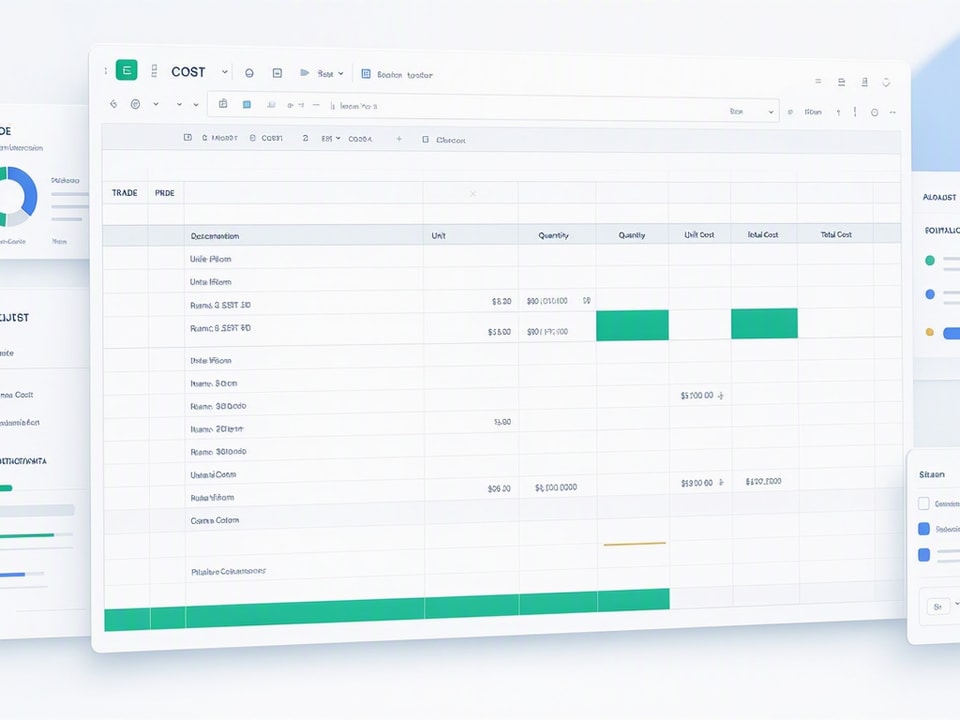
Start with a column structure that includes item description, unit of measure, quantity, unit cost, and extended total. Add a labor rate column if you want to separate labor from materials. Use one row per line item, group rows by trade or scope section, and insert subtotal rows after each group. This structure lets you audit individual costs without scrolling through a monolithic list.
Labor rates should reflect your crew's actual loaded cost: base wage plus payroll taxes, insurance, and benefits. Materials pricing comes from supplier quotes, historical data, or cost databases. Equipment costs include rental fees, fuel, and operator time. When you link these inputs to a separate rates tab, you can update pricing across the entire estimate by changing one cell.
Indirect Costs: General Conditions, Overhead, and Profit
Indirect costs don't tie to a specific scope item, but they still eat into your margin if you forget them. General conditions cover site-level expenses like trailers, portable toilets, project management salaries, and temporary power. Overhead covers your company's fixed costs. Profit is what you take home after paying everyone else.
General conditions typically run 8% of direct costs, though complex sites or long schedules push that higher. Calculate it as a percentage of your direct cost subtotal, or build a detailed line-item list if the client demands transparency. Overhead and profit each add another 10%, applied as a percentage of the sum of direct costs and general conditions. Some contractors combine overhead and profit into a single 20% markup, others separate them to show clients where the money goes.
Apply these percentages consistently across all estimates. When you change your markup on a per-job basis, you lose the ability to compare profitability and you risk underpricing competitive bids. If market conditions force you to trim margin, document the decision and track the outcome so you know whether the gamble paid off.
Contingency and Risk Buffers
Contingency is not profit. It's a reserve for scope changes, unforeseen conditions, and pricing volatility that you can't predict during takeoff. Add it as a separate line item after profit, typically 3% to 10% depending on project risk.
Justify contingency to clients by tying it to specific risks: unknown subsurface conditions, long lead times on materials, or incomplete drawings. When you frame it as a risk management tool instead of a padding tactic, clients accept it more readily. Track contingency usage during construction so you can return unused funds or document why you needed every dollar.
Some contractors bake contingency into unit costs instead of calling it out separately. That approach hides the buffer, which makes it harder to manage and easier to spend on scope creep. A visible contingency line forces you to approve each draw and keeps the client informed when conditions change.
How to Build a Pre-Construction Estimate from Scratch in Google Sheets or Excel
Building an estimate from scratch takes two hours the first time and thirty minutes once you have a template. The process is the same whether you use Google Sheets or Excel: set up a cost breakdown structure, add formulas for automatic rollups, and build a summary dashboard that clients can read without a construction degree.
Start with a blank workbook and create separate tabs for direct costs, indirect costs, rates, and summary. The direct costs tab holds your line items. The rates tab stores labor rates, equipment costs, and markup percentages. The summary tab pulls totals from the other tabs and formats them for client proposals. This separation keeps your working data clean and your client-facing output polished.
Step 1: Set Up Your Cost Breakdown Structure
Organize your direct costs tab by trade, phase, or CSI division depending on how your team thinks about scope. For residential projects, phase-based organization works well: site work, framing, MEP, finishes. For commercial jobs, trade-based grouping matches how you'll assign subcontractors: concrete, steel, drywall, HVAC.
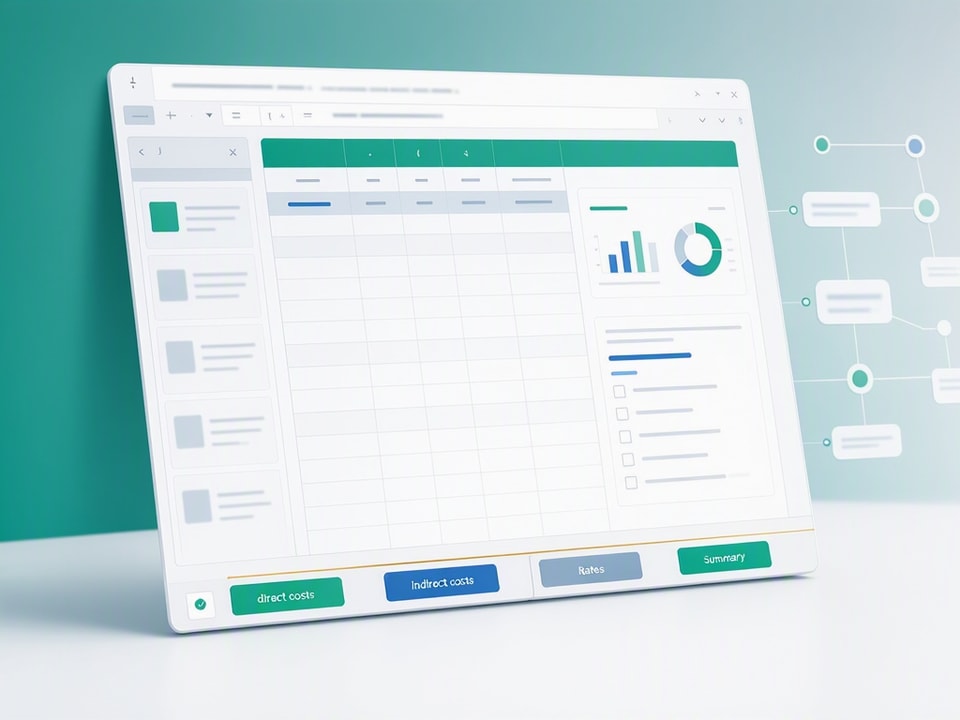
Create columns for item description, unit, quantity, unit cost, labor hours, labor rate, labor total, material total, equipment total, and line total. Add a trade or phase column if you want to filter or pivot the data later. Insert subtotal rows after each trade group using a SUM formula that adds up the line totals above it. This structure lets you collapse sections, audit individual trades, and spot data entry errors before they propagate.
Step 2: Add Formulas for Automatic Subtotals and Markups
Formulas eliminate manual math and reduce errors. Start with the line total formula: =quantity * unit_cost + labor_hours * labor_rate + equipment_total. Adjust the formula to match your column structure, then copy it down the entire column.
Add a direct cost subtotal at the bottom of the direct costs tab: =SUM(line_total_column). On the indirect costs tab, calculate general conditions as =direct_cost_subtotal * 0.08. Calculate overhead as =(direct_cost_subtotal + general_conditions) * 0.10. Calculate profit as =(direct_cost_subtotal + general_conditions + overhead) * 0.10. Add contingency as a percentage of the sum of all previous costs.
Link your markup percentages to cells on the rates tab so you can change them in one place. Use named ranges to make formulas readable: =direct_costs * general_conditions_rate is easier to audit than =B47 * C3.
Step 3: Build a Summary Dashboard for Client Proposals
Pull the key numbers from your cost tabs into a clean one-page summary. Include direct costs, general conditions, overhead, profit, contingency, and grand total. Add a breakdown by trade or phase if the client wants to see where the money goes. Use conditional formatting to highlight line items that exceed a threshold or change between revisions.
Add a simple bar chart that shows the proportion of direct costs, indirect costs, and profit. Clients trust estimates they can understand, and a visual breakdown makes your pricing transparent without overwhelming them with line-item detail. Format the summary tab for printing or PDF export so you can attach it to proposals without additional layout work.
Common Mistakes That Inflate Estimates or Kill Margins
The most expensive estimating mistakes happen in silence. You submit a bid, win the job, and only discover the error when your accountant shows you the month-end report. These five mistakes account for most margin leaks.
Missing scope items. You assume the architect's drawings include a detail, but it's missing. You don't catch it until the superintendent asks where to find the spec. Fix: build a scope checklist for each project type and cross-check it against the drawings before you start takeoff.
Double-counting costs. You include a material cost in the direct line item and again in the subcontractor's quote. The client sees an inflated number and goes with a competitor. Fix: mark each cost source clearly and audit for duplicates before you finalize the estimate.
Inconsistent markup application. You apply overhead and profit to direct costs on one job, then apply them to the sum of direct and indirect costs on the next. Your margins swing wildly and you can't figure out why. Fix: document your markup method in the rates tab and use the same formula every time.
Failing to update unit prices. You use last year's lumber cost because you forgot to refresh your rates tab. The price has jumped 15% and your margin evaporates. Fix: update your rates tab quarterly and flag outdated prices with conditional formatting.
Ignoring change order potential. You price the base scope tightly and assume you'll make it up on change orders. The client holds you to the base scope and you finish underwater. Fix: price the base scope to stand alone and treat change orders as upside, not a margin rescue plan.
When to Use a Template vs. Pre-Construction Estimating Software
A spreadsheet template works for small residential jobs, straightforward commercial projects, and any contractor who needs full control over the estimate structure. Software makes sense for large projects with complex takeoffs, multiple estimators, or integration requirements with project management and accounting systems.
The decision comes down to three factors: project complexity, team size, and workflow integration. If you're estimating a 2,000-square-foot residential addition with a two-person crew, a well-built template gives you everything you need. If you're bidding a 50,000-square-foot office tenant improvement with six trades and a dozen subcontractors, software will save you hours on takeoff and reduce coordination errors.
Best Pre-Construction Estimating Software for 2026
Estimating technology is now mainstream, and firms that stay on disconnected manual workflows will feel that gap more each year. The top platforms for 2026 include STACK Estimating, Autodesk Build, Procore, and specialized tools like Buildertrend for residential contractors.
STACK Estimating stands out with reusable estimating templates that convert takeoff inputs into structured, revision-ready bids. The platform integrates with project management and accounting systems, so you eliminate double entry and keep budgets in sync with actuals. Pricing starts around $898 one-time for basic 2D takeoff software with an optional $99 annual fee. Advanced takeoff specialists might pay over $1,749 per year for full-featured platforms.
Autodesk Build and Procore serve larger commercial contractors who need enterprise-grade collaboration, document management, and financial controls. These platforms cost more but deliver ROI when you run multiple concurrent projects and need real-time visibility across estimating, procurement, and field execution. Cost estimating tools that integrate with project management, procurement, accounting, and construction management software help eliminate double entry and reduce errors.
When a Spreadsheet Template Is the Smarter Choice
A spreadsheet template is the smarter choice when you need transparency, flexibility, and zero subscription cost. Smaller teams, one-off projects, and contractors who want full control over formulas and formatting all benefit from a template-based workflow.
Templates let you see every formula, audit every calculation, and customize the structure without waiting for a software vendor to add a feature. You own the file, so you can archive it, share it with clients, or hand it off to project managers without worrying about license seats or data access. When you build estimates in Google Sheets, your team can collaborate in real time without paying for multi-user software.
The trade-off is manual takeoff and limited automation. You'll measure quantities from PDFs, enter them by hand, and update unit costs one cell at a time. For contractors who estimate fewer than ten jobs per month, that trade-off is worth it. For high-volume estimators, the time savings from software justify the cost.
Recommended Resources
Skip the blank-sheet setup
Start with a proven structure that catches margin leaks before they happen
How to Integrate Your Estimate with Project Management and Accounting Systems
The estimate is the starting point for project budgets, purchase orders, and cost tracking. When you treat it as a standalone document, you create double-entry work and introduce errors every time you transfer data between systems.
Export your estimate to QuickBooks, Procore, or your project management platform as soon as you win the bid. Most accounting systems accept CSV imports, so you can map your cost breakdown structure to their chart of accounts and upload the budget in minutes. In Procore or similar platforms, you can import the estimate as a budget and track actual costs against it throughout the project.
Build a workflow that keeps estimates and actuals in sync. When you approve a change order, update the estimate and export the revised budget to your accounting system. When you receive an invoice, code it to the correct cost category so your project manager can see real-time variance. This closed-loop process eliminates the "budget vs. actual" reconciliation nightmare at the end of the project.
If you use separate systems for estimating, project management, and accounting, document the handoff process. Define who exports the estimate, who imports it, and who updates it when scope changes. Without clear ownership, estimates drift out of sync and your financial reports become guesswork.
Pre-Construction Estimator Template: Ready-to-Use Spreadsheet for Contractors
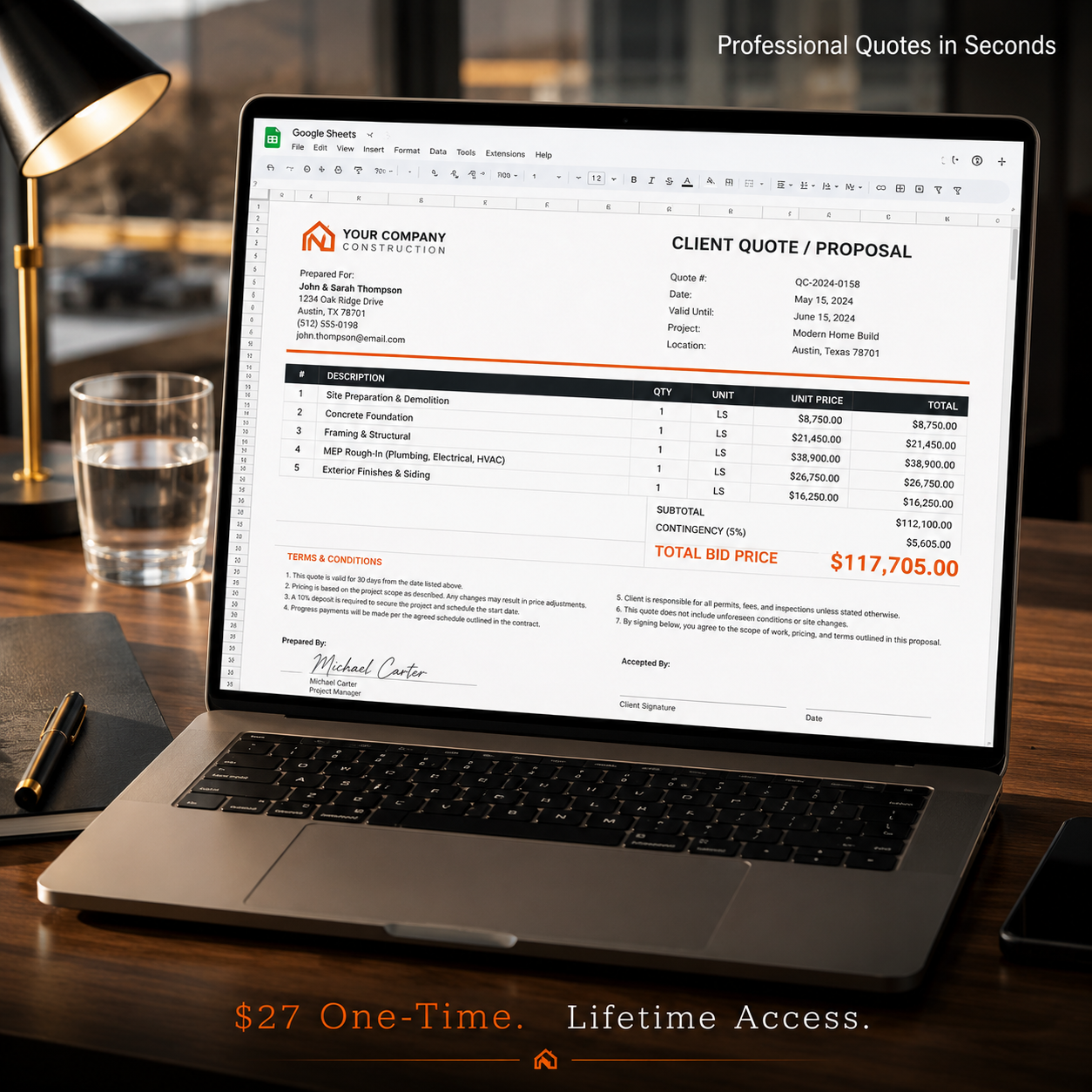
Building an estimate from scratch every time wastes hours and introduces inconsistency. The Pre-Construction Estimator template gives you a proven structure with built-in formulas, automatic rollups, and a professional client-facing format that you can customize in minutes instead of hours.
Used by over 500 contractors, this template organizes direct costs by trade, calculates general conditions and markup automatically, and produces a summary dashboard that clients can read without a construction background. It catches margin leaks by forcing you to account for every cost category, apply markup consistently, and document contingency decisions before you submit the bid.
The template works in both Google Sheets and Excel, so your team can collaborate in real time or work offline depending on your workflow. You get separate tabs for direct costs, indirect costs, rates, and client summary, plus conditional formatting that flags missing data and highlights line items that exceed your target margin. By standardizing the estimate process, these templates offer multiple benefits: they promote consistency across projects, reduce the chance of missing important items, make estimate reviews more straightforward, allow for faster updates, and ensure a smoother handover from preconstruction to project controls teams.
Get the newsletter
One sharp idea every Sunday.
No fluff. No sales pitches. Just the best of what we publish, hand-picked.
Continue Reading
Related Articles
20+ Free Excel Project Management Templates (2026)
Project management in 2026 demands efficiency and clear oversight. Free Excel templates offer a powerful, cost-effective solution for tracking tasks, managing budgets, and hitting deadlines. You can a...
10+ Free Excel Budget Templates for Small Business in 2026
Your small business needs a budget. It's more than a financial report; it's a strategic roadmap, especially in 2026's dynamic market. A clear budget helps you allocate resources, anticipate challenges...
10+ Free Employee Attendance Tracker Excel Templates (2026)
Efficient attendance tracking saves businesses money and ensures compliance. Manual systems, prone to errors, cost companies thousands annually. A robust Excel tracker provides accurate data for payro...