Control trucking costs with this expense spreadsheet.
A well-structured trucking company expense spreadsheet template is the modern standard for tracking your operations effectively.
A stack of paper receipts is a relic of the past; a well-structured trucking company expense spreadsheet template is the modern standard for tracking your operations. Trying to manage trucking expenses manually, by scribbling notes or filing receipts in shoe boxes, will quickly become unmanageable, leading to missed deductions and a hazy view of your profitability. A digital solution, however, provides clarity, accuracy, and the ability to analyze trends.
This guide will walk you through setting up a practical expense tracker that goes beyond basic sum totals, offering insights into where your money is truly going. We’ll cover essential categories, useful formulas, and common pitfalls to avoid when managing the finances of a trucking business.
Essential Expense Categories for Trucking
To accurately track your trucking company expenses, you need to break them down into logical categories. This isn't just about listing every single item; it's about grouping similar costs so you can see patterns. Here are the core categories you absolutely must include:
- Fuel: This is often the largest single expense. Track by type of fuel if you use multiple, and note if it's for company-owned vehicles or independent contractors.
- Maintenance & Repairs: Regular servicing, tire replacements, engine work, brake jobs, all of it falls here. Differentiate between routine maintenance and unexpected major repairs.
- Driver Wages & Benefits: This includes salaries, hourly pay, overtime, per diem, health insurance premiums, and any other compensation.
- Insurance: Vehicle insurance, general liability, cargo insurance, worker's compensation.
- Tolls & Fees: Highway tolls, bridge fees, weigh station fees, and parking fees.
- Depreciation: A non-cash expense that accounts for the wear and tear on your trucks and trailers over time.
- Taxes & Licenses: Vehicle registration, DOT fees, state and federal taxes related to trucking operations.
- Office & Administrative: Rent for office space, utilities, software subscriptions (dispatch, ELD, accounting), office supplies, postage.
- Fuel Taxes (IFTA/IRP): Specific taxes related to interstate fuel and registration.
- Equipment Purchases/Leases: Costs associated with buying or leasing new trucks, trailers, or other necessary equipment.
- Miscellaneous: A catch-all for expenses that don't fit neatly elsewhere, but try to keep this category small.
Setting Up Your Spreadsheet
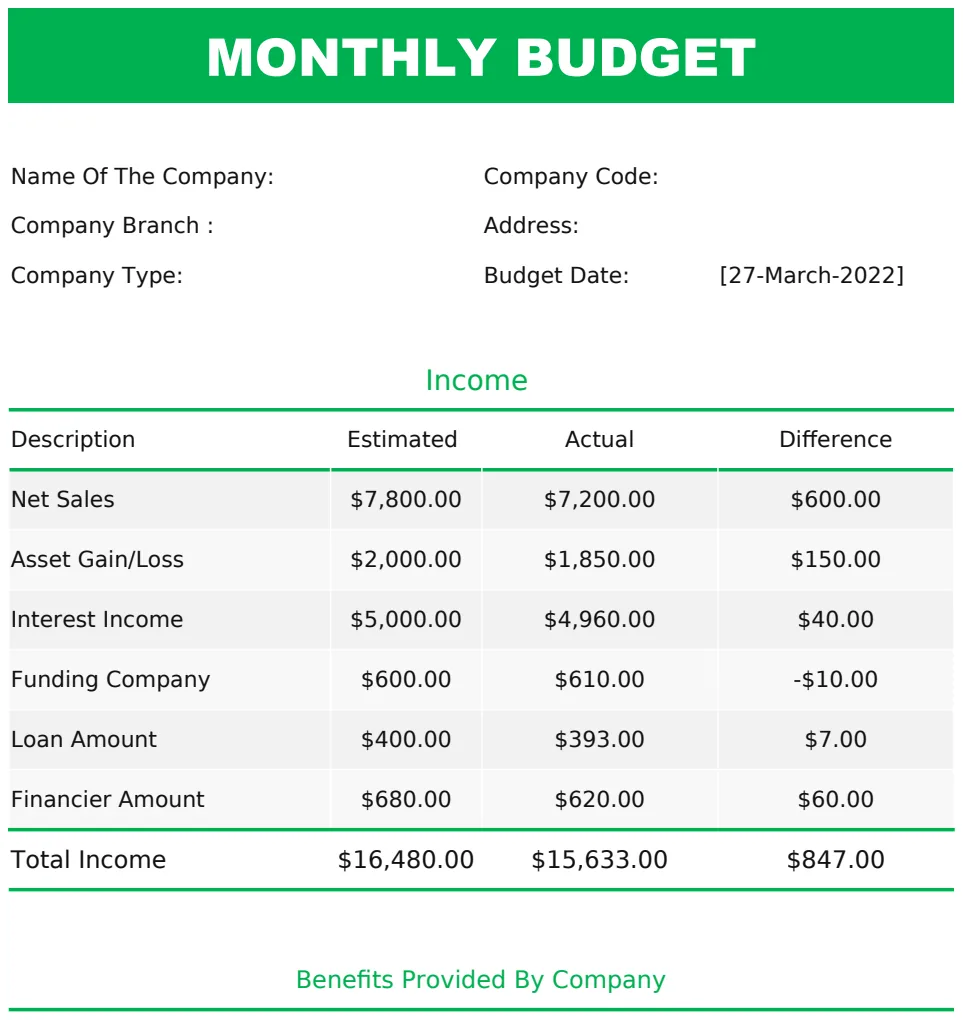
You can start from scratch, but utilizing a pre-built framework can save significant time. For instance, a Monthly Budget Template US can serve as a solid foundation. You'll want to adapt its structure to fit your trucking-specific needs.
Here’s a basic layout you can implement in any spreadsheet program:
Columns:
- 01Date: When the expense occurred.
- 02Vendor/Payee: Who you paid (e.g., "Shell Gas Station," "XYZ Truck Repair," "Driver John Smith").
- 03Description: A brief note about the expense (e.g., "Fuel for Truck #3," "Oil Change," "Toll on I-95").
- 04Category: Select from your defined list of expense categories (Fuel, Maintenance, Driver Wages, etc.). This is crucial for analysis.
- 05Sub-Category (Optional but Recommended): For more detail. E.g., under "Maintenance," you might have "Tires," "Engine," "Brakes." Under "Fuel," you might have "Diesel," "DEF."
- 06Truck/Trailer ID (If Applicable): If you want to track expenses per vehicle.
- 07Amount: The cost of the expense.
- 08Payment Method: How you paid (e.g., "Company Credit Card," "ACH Transfer," "Cash").
- 09Receipt Number/Image Link (Optional): A reference to physical or digital receipts.
Your primary sheet can be a detailed transaction log. Then, you can create separate summary sheets that pull data from this log.
Using Formulas for Powerful Insights
Raw data is only useful if you can analyze it. Spreadsheet formulas are your best friends here. Beyond simple =SUM(), you'll want to employ more advanced functions.
SUMIFS for Categorical Totals:
This is your workhorse. Let's say your transaction log is on "Sheet1" with columns A through I, and your categories are in Column D. On a "Summary" sheet, you can list your categories in Column A. In Column B, you would use a formula like this to sum all expenses for "Fuel" from Sheet1:
=SUMIFS(Sheet1!$H:$H, Sheet1!$D:$D, A2)
Sheet1!$H:$H: This is the range containing your expense amounts (assuming Column H). The dollar signs create an absolute reference, so it doesn't change when you copy the formula down.Sheet1!$D:$D: This is the range containing your expense categories (assuming Column D).A2: This is the cell on your "Summary" sheet containing the category name (e.g., "Fuel") you want to sum.
You can copy this formula down for all your categories to get a quick overview of spending per bucket.
COUNTIFS for Transaction Counts:
To see how many transactions fall into a category, use COUNTIFS:
=COUNTIFS(Sheet1!$D:$D, A2)
This tells you, for example, how many individual fuel purchases you made in a period.
Conditional Formatting for Red Flags:
Highlighting is key for quick visual checks. On your transaction log, you can set up conditional formatting rules. For example:
- Rule: If "Amount" (Column H) is greater than $500 AND "Category" (Column D) is "Maintenance," then format the cell red. This flags potentially large repair bills.
- Rule: If "Category" (Column D) is "Fuel" AND "Amount" (Column H) is less than $20, then format the cell yellow. This might indicate an error or a very small, specific fuel purchase.
Tracking Per-Vehicle Expenses
For a trucking company, knowing which trucks are costing you the most is invaluable. If your transaction log has a "Truck/Trailer ID" column (let's say Column F), you can adapt your SUMIFS formula to track expenses per vehicle.
On a separate sheet titled "Vehicle Expenses," list your truck IDs in Column A. In Column B, you can sum the fuel costs for that specific truck:
=SUMIFS(Sheet1!$H:$H, Sheet1!$D:$D, "Fuel", Sheet1!$F:$F, A2)
Sheet1!$H:$H: Expense amounts.Sheet1!$D:$D: Categories."Fuel": The specific category you're looking for.Sheet1!$F:$F: The column with Truck/Trailer IDs.A2: The cell on the "Vehicle Expenses" sheet with the specific truck ID you want to analyze.
You can create similar formulas for maintenance, tolls, or any other category you want to attribute to individual assets. This helps identify underperforming vehicles or those requiring excessive maintenance.
Common Mistakes to Avoid
Many businesses, especially those starting out or operating lean, stumble over a few common hurdles when setting up their expense tracking.
- Inconsistent Categorization: Mixing "Repairs" and "Maintenance" or putting "Tolls" under "Fuel" makes analysis nearly impossible. Stick to your defined categories religiously.
- Ignoring Small Expenses: A $5 toll here, a $10 coffee for a driver there, these add up. While individually minor, cumulatively they can impact your bottom line. Don't skip them.
- Not Reconciling: Failing to regularly match your spreadsheet entries against bank statements and credit card statements. This is how errors and fraudulent charges are caught.
- Lack of Detail: A description like "Parts" is vague. "Brake Pad Replacement - Truck #5" is much more useful for future reference and troubleshooting.
- Over-Complication: Trying to track too many minute details initially can be overwhelming. Start with the core categories and add complexity only as needed.
Advanced Tracking and Reporting
Once your basic trucking company expense spreadsheet template is functional, you can build upon it.
Tracking Income
Your expense tracker is only half the story. You need to track income as well. This includes freight revenue, factoring payments, and any other incoming cash. A Business Budget template can help you organize both income and expenses over longer periods.
Profit and Loss (P&L) Statement
By summing up your total income and total expenses for a given period (month, quarter, year), you can create a simple P&L. This is the most fundamental report for understanding your business's profitability. You can automate this by having summary cells on a dedicated "P&L" sheet that pull data from your income and expense logs.
Cash Flow Projection
Forecasting your cash flow involves looking at your projected income and upcoming expenses. This helps ensure you have enough liquid cash to cover operational costs, especially if you have large, infrequent expenses like insurance premiums or new truck payments.
Integrating with Accounting Software
For larger operations, consider how your spreadsheet data might feed into dedicated accounting software. Many programs allow for CSV imports, meaning your meticulously organized spreadsheet could become the source data for more robust financial reporting.
Frequently Asked Questions
How often should I update my trucking company expense spreadsheet template?
Ideally, you should input expenses daily or at least every other day. This prevents receipts from piling up and ensures accuracy. Weekly reconciliation against bank statements is also highly recommended.
Can I use this for independent contractors?
Yes, you can adapt this template. You would likely have separate categories for "Contractor Payments" and track payments made to each contractor. You might also need to track expenses they incur on your behalf if you reimburse them.
What if I have many trucks? How do I manage that?
If you have a large fleet, the "Truck/Trailer ID" column becomes essential. You might also consider creating separate sheets or pivot tables for each truck or truck group for easier analysis. The key is consistent data entry in the "Truck/Trailer ID" column.
Is a spreadsheet enough, or do I need accounting software?
For a very small operation, a well-maintained spreadsheet might suffice. However, as your business grows, accounting software offers features like automated bank feeds, invoicing, payroll integration, and more sophisticated reporting that a spreadsheet can't easily replicate. Many users find that starting with a robust spreadsheet, like those found in our library, provides a strong foundation before migrating to dedicated software. Our templates are designed for a one-time purchase of $9, giving you unlimited access.