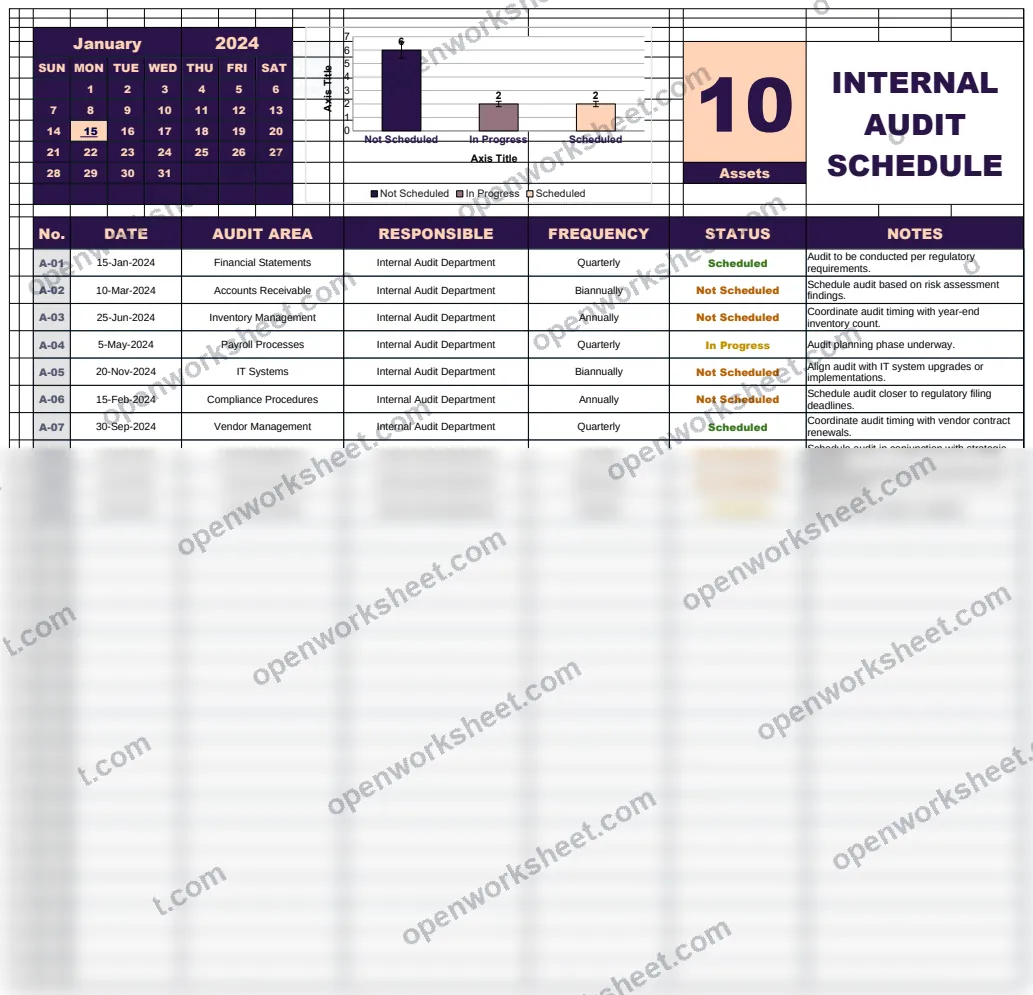
Automated Internal Audit Schedule Template
A comprehensive template for scheduling and tracking internal audits across multiple audit areas with automated date calculations and frequency management.
This template provides an automated system for managing internal audit schedules throughout the year. It features a main calendar view for January 2024 with date calculations, an audit area list tracking responsible parties, and a setup sheet managing audit statuses and frequencies (Quarterly, Biannually, etc.). The template uses advanced Excel functions to automatically calculate dates, track audit progress, and generate visual charts for audit oversight. It's designed to help organizations systematically schedule internal audits, assign responsibilities, and monitor compliance across different audit areas.
What's inside
- Automated date calculations
- Calendar view with date formatting
- Audit area tracking with responsible parties
- Status tracking (Not Scheduled, In Progress, Completed)
- Frequency management (Quarterly, Biannually)
- VLOOKUP for audit area lookup
- COUNTIF for status counting
- Visual charts for audit overview
- Dynamic date generation using DATEVALUE and WEEKDAY
Download this template
.xlsx · 3 sheets · includes charts
$9/monthDownload up to 10 templates a month from a library of thousands. Cancel anytime.
- 10 downloads every month
- Cancel anytime
- 14-day refund
More in Project Management
 Project Management
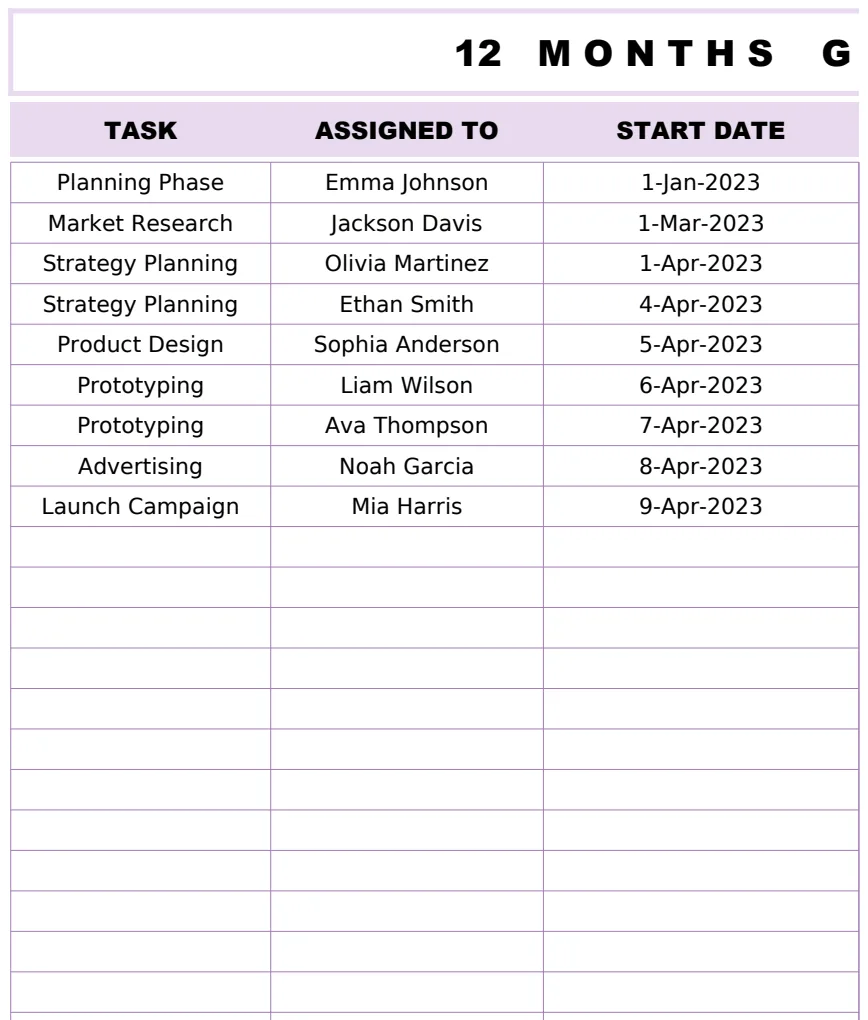
12 Months Gantt Chart Template
A professional 12-month project timeline visualization with task tracking, assignments, and duration calculations using Gantt chart methodology.
- Automatic duration calculation between start and end dates
- 12-month visual timeline representation
- Task assignment tracking
 Project Management
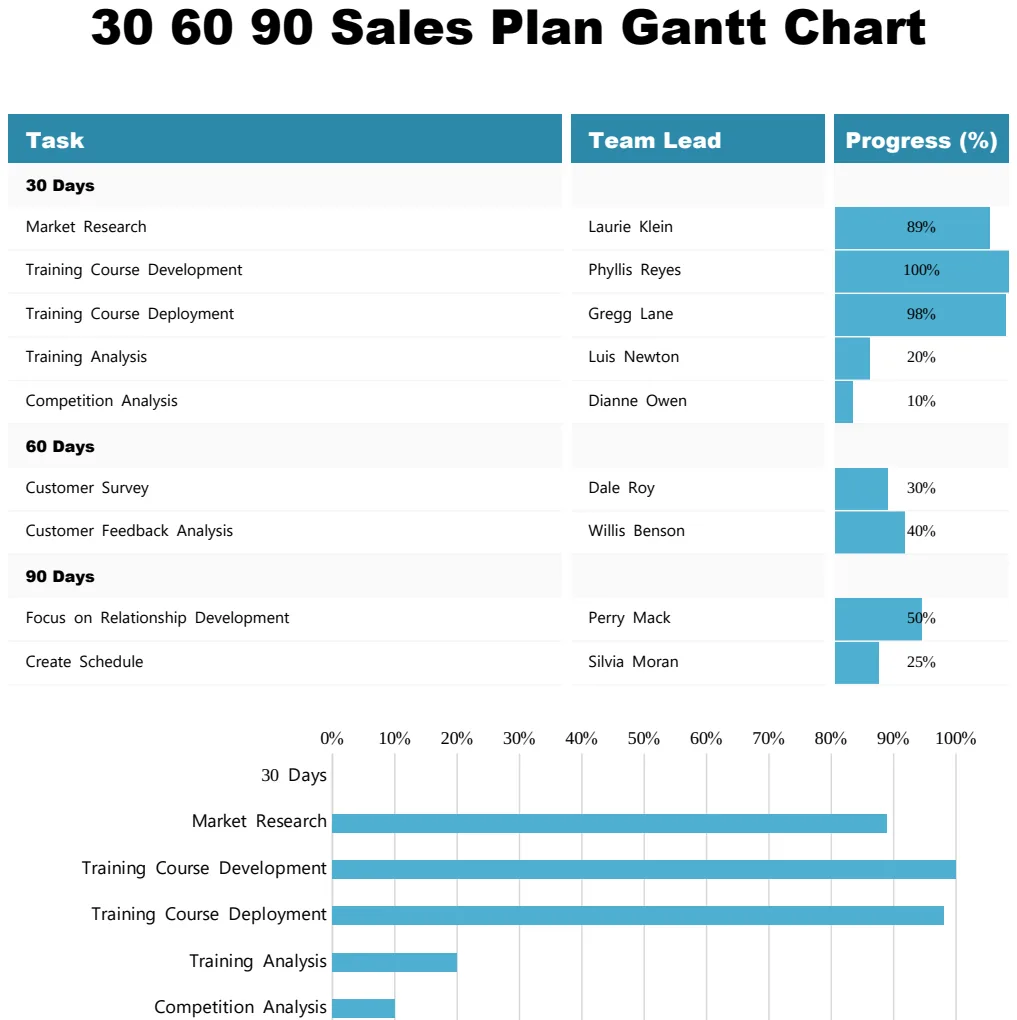
30 60 90 Sales Plan Gantt Chart
Visualize your 90-day sales plan with a Gantt chart showing tasks, team leads, and progress milestones.
- Task-by-task breakdown across 30, 60, and 90-day phases
- Team lead assignment per task
- Visual progress percentage tracking
 Project Management
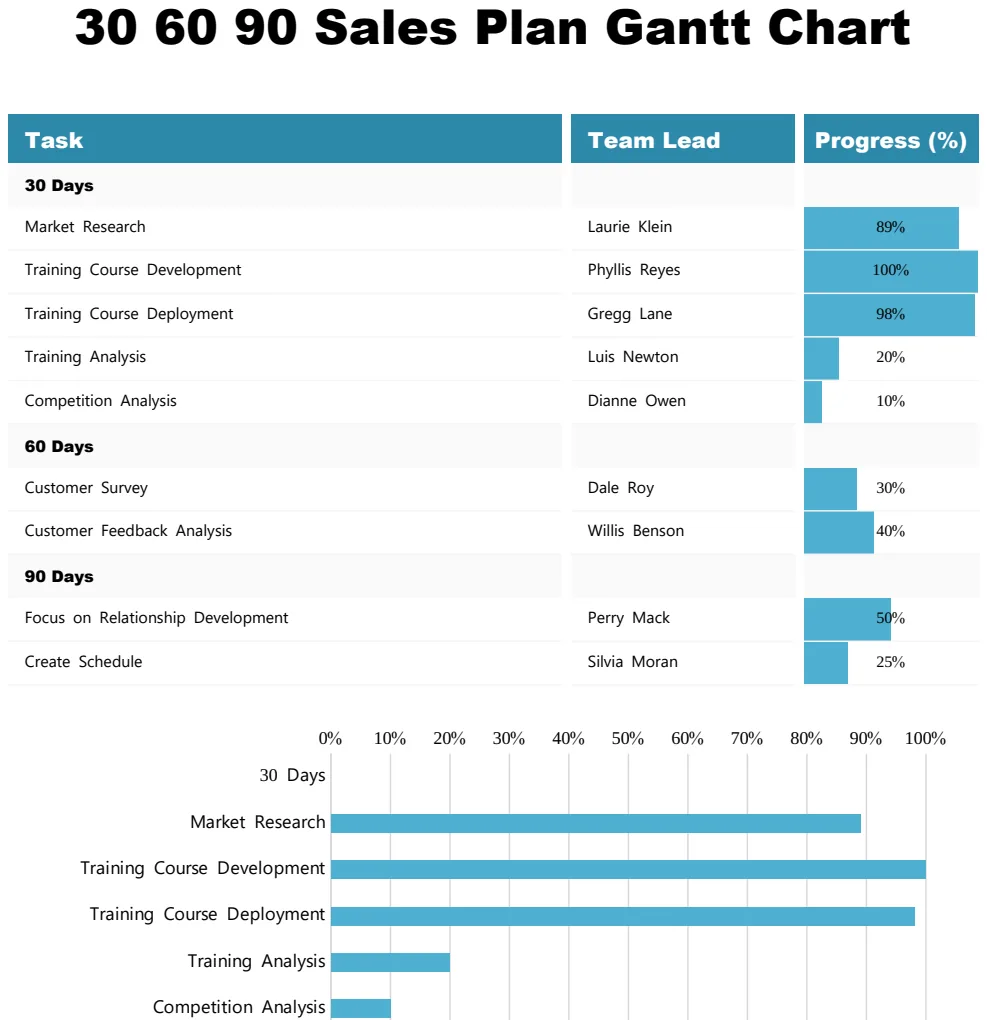
30 60 90 Sales Plan Gantt Chart
Track sales goals and milestones across 30, 60, and 90-day periods with visual progress tracking.
- Gantt timeline visualization
- Progress percentage tracking by task
- Team lead assignment column
 Project Management
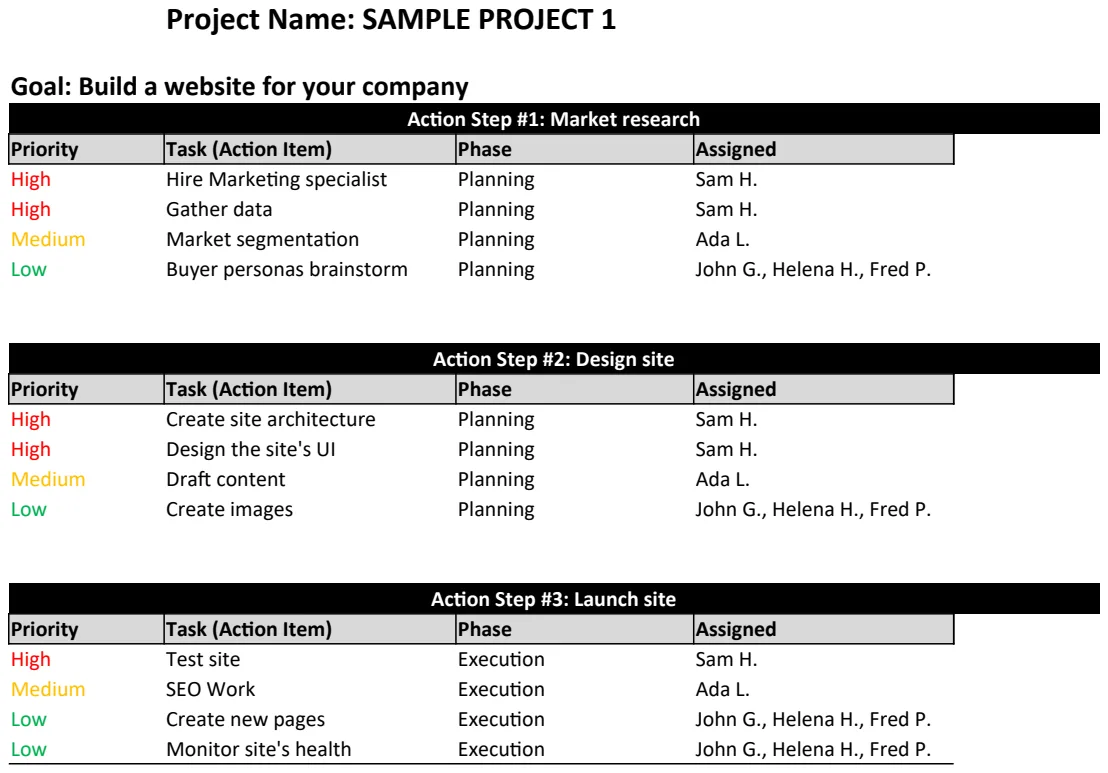
Action Plan Template
Structure project goals into actionable steps with timelines and ownership to drive execution.
- Project name and goal fields
- Action step numbering and description
- Timeline assignment per step