
Debt Snowball vs Avalanche Simulator
A debt payoff simulator in Excel. Compare Snowball, Avalanche, your own custom order and minimum payments side by side, month by month, with promo rates ending, rate spikes, extra payments and lump sums.
Debt Snowball vs Avalanche Simulator runs four payoff plans for up to 10 debts and 30 years, month by month: Snowball (smallest balance first), Avalanche (highest interest rate first), your own Custom order and minimum payments only. Each plan shows the debt-free date, months to freedom, total interest, total paid, interest saved compared with paying minimums and the month the first debt is cleared.
Every month the simulator adds interest at that month's rate, pays each debt its minimum, then sends the extra pool to the debt at the front of the line. Anything left once that debt is paid off flows to the next debt in the same month. With rollover switched on, each paid-off minimum joins the extra pool, so the total you pay each month stays the same and the payoff speeds up.
Interest rates can change during the plan. Set a month when a promo or teaser rate ends and the new APR it jumps to, mark debts as variable rate and switch on a rate spike that adds a chosen amount to every variable debt from a chosen month. Avalanche ranks debts by their long-run rate, so a 0% promo card that will jump to 27% is treated as the expensive debt it will become.
On the Dashboard you set the extra monthly payment, a future raise, up to three lump sums such as a tax refund or bonus, rollover and the rate spike, and all four plans update at once. It shows strategy cards, a verdict comparing Snowball and Avalanche, a chart of total debt over time, the month each debt is paid off under every plan and total interest by strategy. Minimum payments follow the usual card rule: the larger of a fixed amount and interest plus a percentage of the balance.
The Monthly Plan tab lists exactly what to pay on each debt every month for the strategy you choose, with the focus debt receiving your extra money and the balance left. Over 92,000 formulas sit in locked cells and protection has no password, so you can unprotect any tab to customise it. Sample debts are fictional. Results are estimates; lenders may calculate interest differently. Built for Microsoft Excel (desktop or Excel for the web) and contains no macros.
What's inside
- 9 connected tabs, from a quick-start guide to Settings
- Up to 10 debts simulated month by month for 30 years
- Snowball, Avalanche, Custom and minimum-only plans side by side
- Debt-free date, total interest and interest saved per plan
- Promo rate end dates and new APRs
- Rate spike scenario for variable-rate debts
- Extra payment, future raise and up to 3 lump sums
- Rollover of freed-up minimums into the next debt
- Extra money cascades to the next debt in the same month
- Payoff month for every debt under every plan
- Total debt over time chart
- Monthly payment plan with focus debt
- Over 92,000 locked formulas, no macros
Download this template
.xlsx · 9 sheets · includes charts
$9/monthDownload up to 10 templates a month from a library of thousands. Cancel anytime.
- 10 downloads every month
- Cancel anytime
- 14-day refund policy
More in Personal Finance & Loans
 Personal Finance & Loans
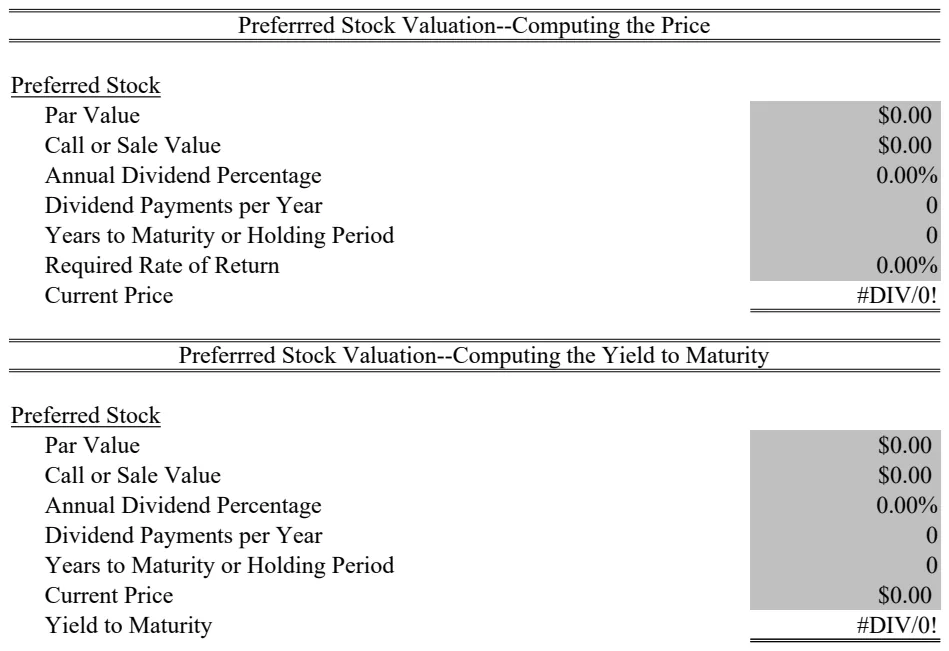
Preferred Stock Valuation Calculator
Calculate preferred stock fair value and pricing using dividend yield and par value methods.
- PV function for present value calculations
- RATE function for yield-to-maturity
- Par value and dividend input fields
 Personal Finance & Loans
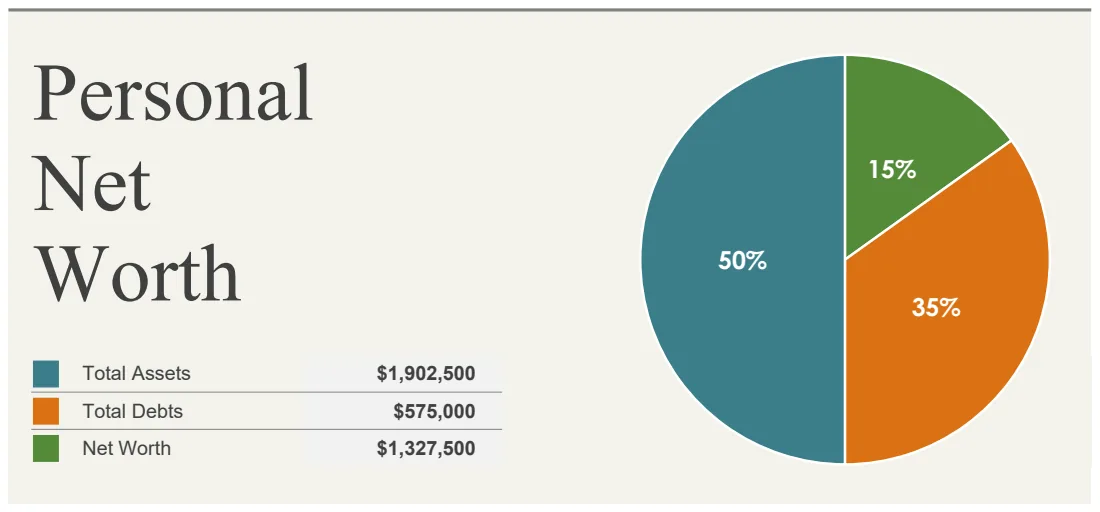
Personal Net Worth Calculator
Track your total assets and debts to calculate and monitor your net worth over time.
- Organized asset categories with individual line items
- Debt tracking by category
- Automatic net worth calculation
 Personal Finance & Loans
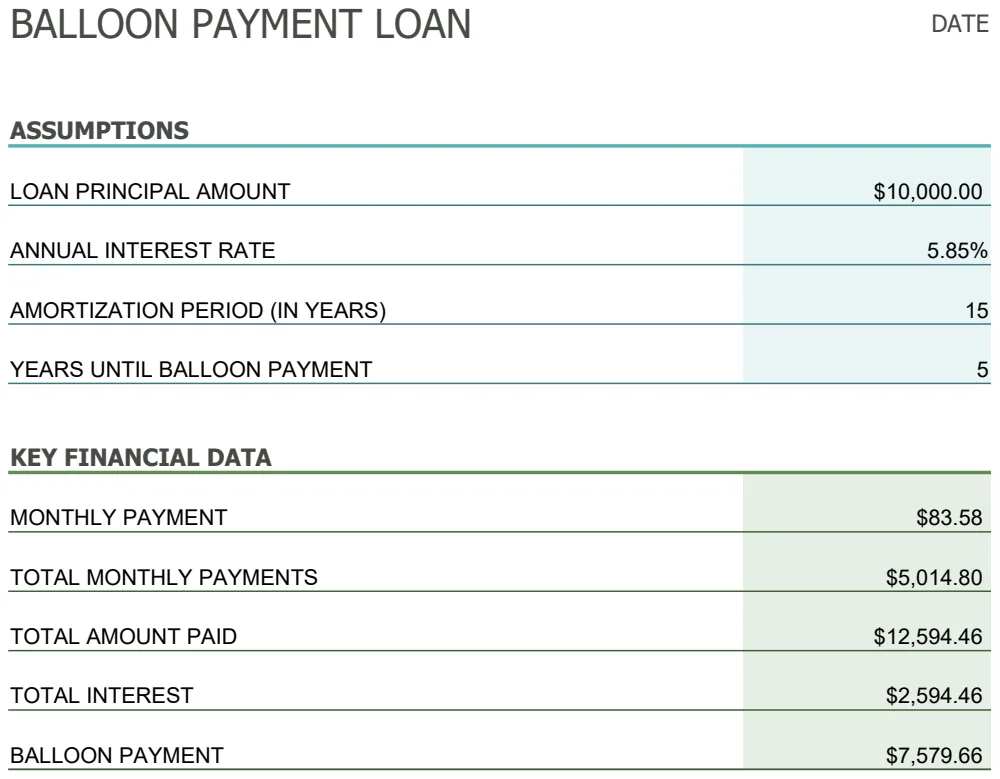
Balloon Loan Payment Calculator
Calculate monthly payments and track balloon loan schedules with customizable terms and final lump-sum payoffs.
- Customizable loan principal and interest rate
- Monthly payment calculation using PMT function
- Balloon payment amount at loan maturity
 Personal Finance & Loans
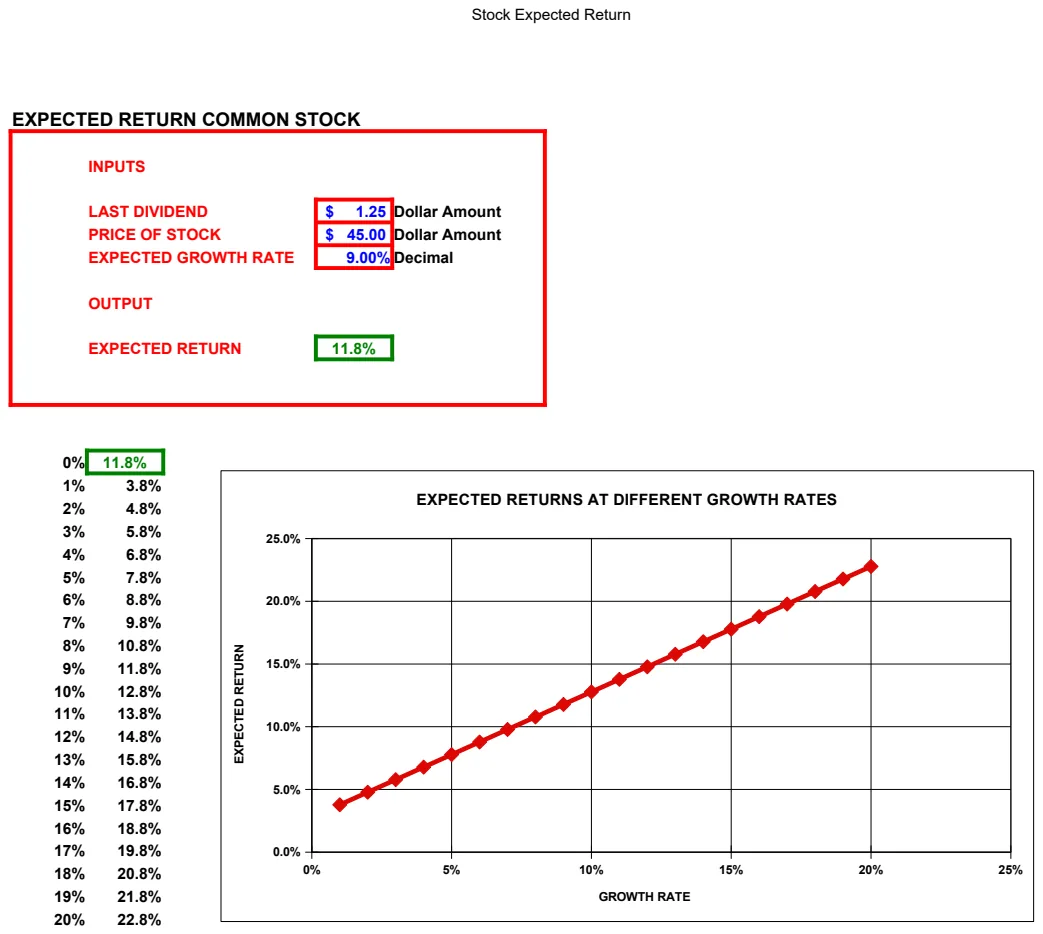
Stock Valuation Models Calculator
Calculate stock prices using variable, constant, and zero growth models plus expected returns.
- Three valuation models (variable, constant, zero growth)
- Expected return calculation for common stock
- NPV analysis integration