
Freelance Command Center
An all-in-one Excel workbook for freelancers. Projects, tasks, time, invoices and expenses roll up into a live dashboard with KPIs, deadlines and charts.
Freelance Command Center puts the whole admin side of freelancing into one Excel workbook. Log your hours, track projects and tasks, issue invoices and record expenses, and the dashboard shows where your business stands: active projects, open and overdue tasks, hours this week and this month, and what you have invoiced, collected, are still owed, spent and kept as profit this year.
Every project calculates its own value, budget used, progress, days left and health (On Track, At Risk, Overdue, On Hold or Done). Bill by the hour or by a fixed fee. The hourly rate comes from the project first, then the client, then your default rate, so you set it once. Tasks flag themselves as overdue, due today or due soon, and compare the hours you logged with your estimate.
The Time Log takes a start and end time with a break, or just a number of hours, and handles overnight work. Rate, amount, client, week and month fill in on their own. Invoices track Paid, Partial, Sent, Overdue and Draft, with days late, so you always know who owes you what.
White cells are for your input. Grey cells under violet headers hold the formulas and are locked, so a stray keystroke cannot break a calculation, and filters keep working on protected sheets. Protection has no password, so you can unprotect any tab when you want to customise it. Dropdowns for clients, projects, statuses and priorities come from lists you can edit on the Settings tab, and they grow as you add more.
Sample data from an example business is included so you can see every tab working, then clear it and start with your own. Built for Microsoft Excel (desktop or Excel for the web) and contains no macros. It can be imported into Google Sheets, but sheet protection does not carry over there, so Excel is recommended.
What's inside
- 9 connected tabs, from a quick-start guide to Settings
- Dashboard with 10 KPI cards and 2 charts
- 12-month performance table and next 10 deadlines
- Switch the report year from one cell
- Automatic project health: On Track, At Risk, Overdue, On Hold, Done
- Hourly or fixed-fee billing
- Rate cascade: project, then client, then default
- Tasks flagged overdue, due today or due soon
- Time log with breaks and overnight shifts
- Invoice status and days late, calculated
- Expenses and net profit, monthly and yearly
- Over 16,500 formulas, locked against accidental edits
- Editable dropdown lists on the Settings tab
- Sample data included, no macros
Download this template
.xlsx · 9 sheets · includes charts
$9/monthDownload up to 10 templates a month from a library of thousands. Cancel anytime.
- 10 downloads every month
- Cancel anytime
- 14-day refund
More in Project Management
 Project Management
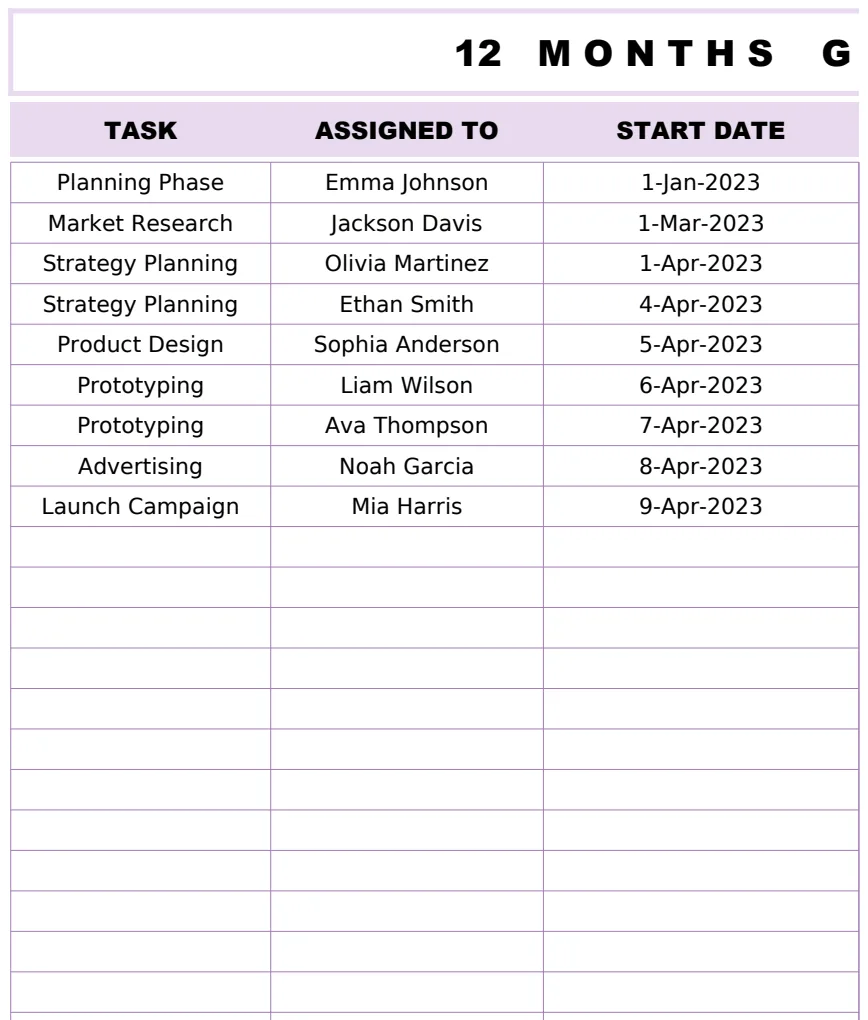
12 Months Gantt Chart Template
A professional 12-month project timeline visualization with task tracking, assignments, and duration calculations using Gantt chart methodology.
- Automatic duration calculation between start and end dates
- 12-month visual timeline representation
- Task assignment tracking
 Project Management
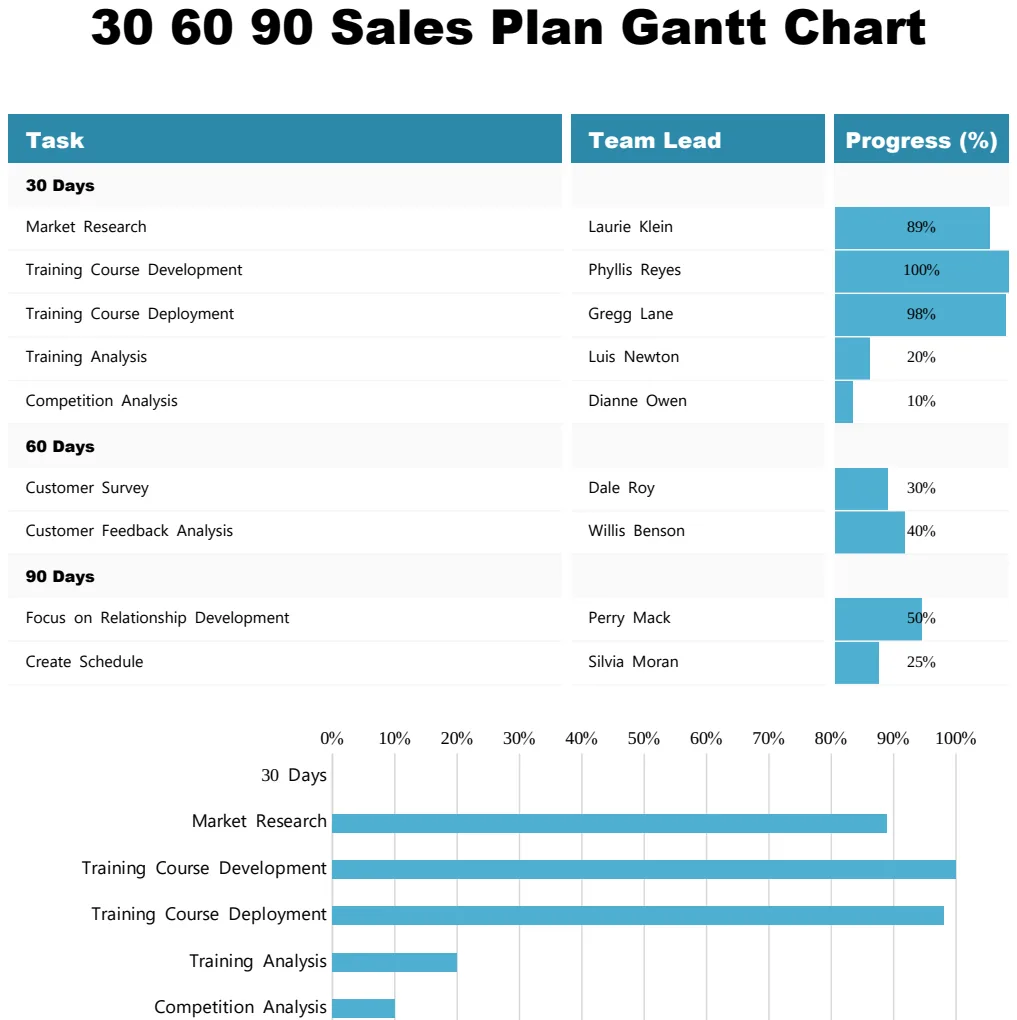
30 60 90 Sales Plan Gantt Chart
Visualize your 90-day sales plan with a Gantt chart showing tasks, team leads, and progress milestones.
- Task-by-task breakdown across 30, 60, and 90-day phases
- Team lead assignment per task
- Visual progress percentage tracking
 Project Management
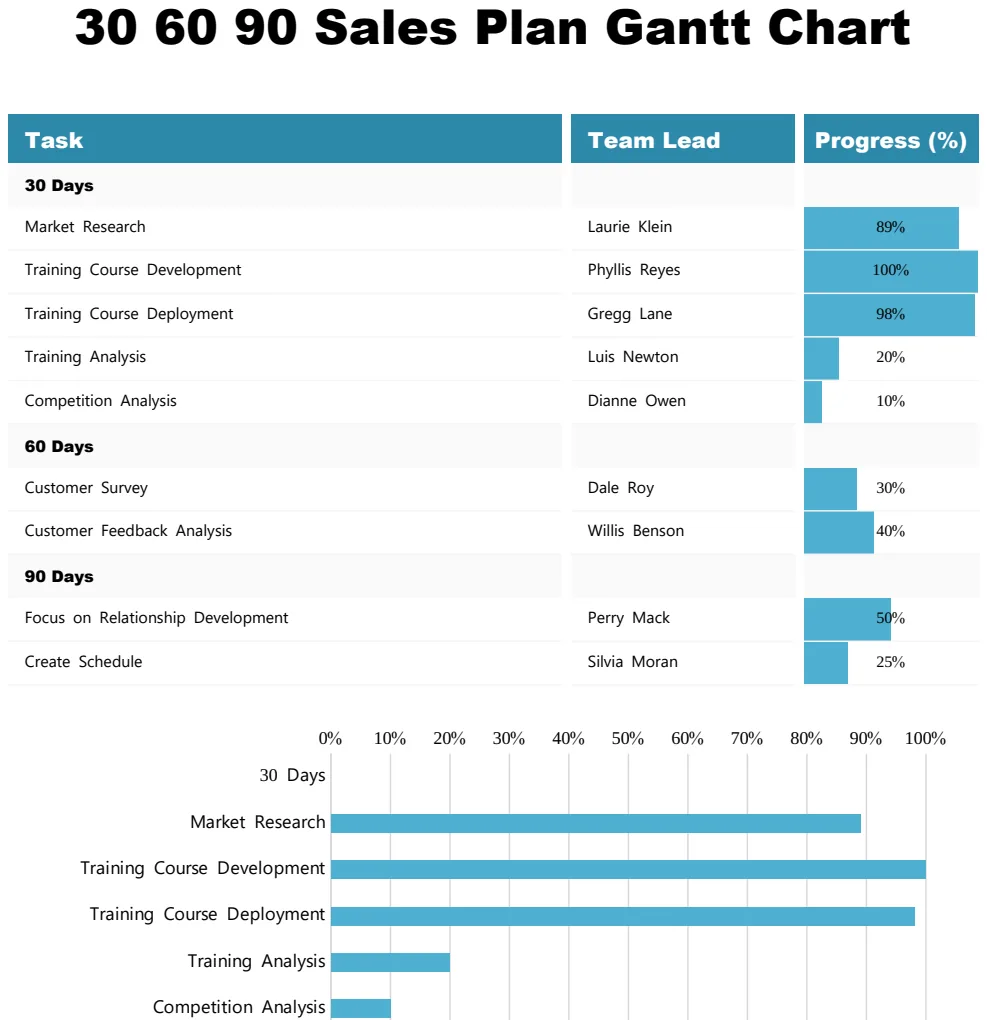
30 60 90 Sales Plan Gantt Chart
Track sales goals and milestones across 30, 60, and 90-day periods with visual progress tracking.
- Gantt timeline visualization
- Progress percentage tracking by task
- Team lead assignment column
 Project Management
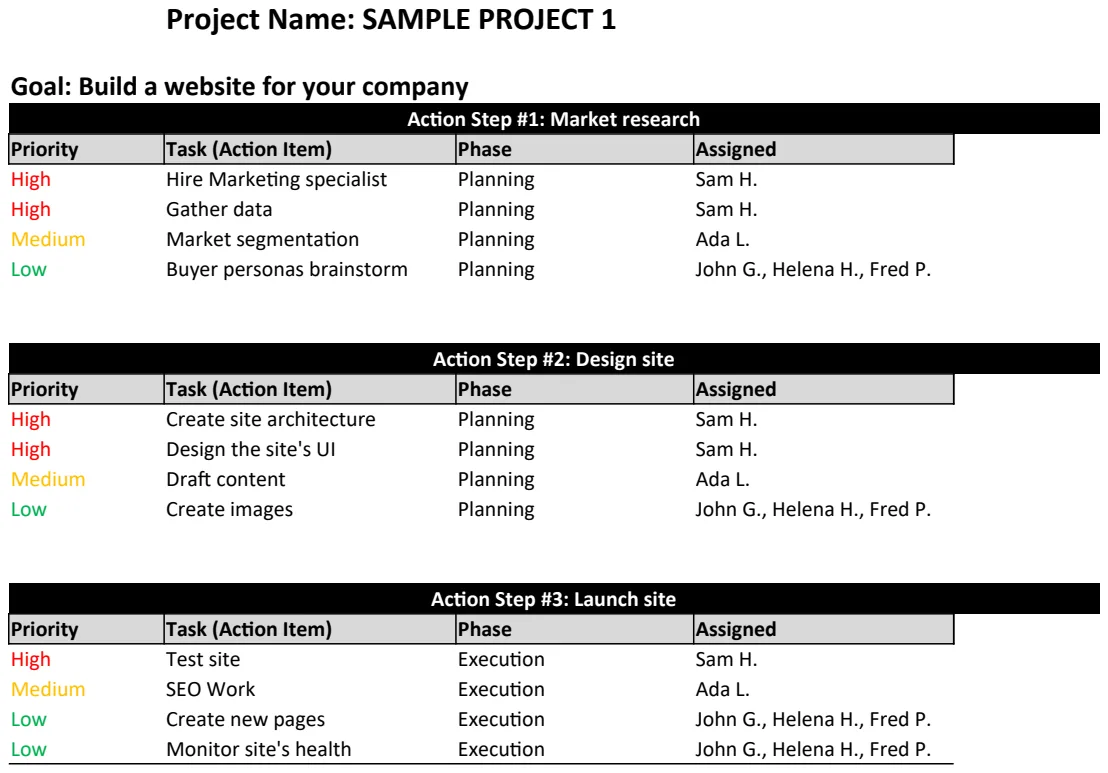
Action Plan Template
Structure project goals into actionable steps with timelines and ownership to drive execution.
- Project name and goal fields
- Action step numbering and description
- Timeline assignment per step