10 yearly budget planner templates to start 2027 in Excel and Google Sheets
When picking a yearly or monthly budget planner template, think about how you'll actually use it. A template that just provides a blank grid for numbers might look simple, but it’s unlikely to guide you through the year.
When picking a yearly or monthly budget planner template, think about how you'll actually use it. A template that just provides a blank grid for numbers might look simple, but it’s unlikely to guide you through the year. The best ones offer structure, prompts, and clear ways to see your progress.
You want a tool that makes tracking spending and planning ahead feel less like a chore and more like a clear path forward. Look for templates that help you categorize expenses, forecast income, and visualize your financial picture with built-in charts. These elements transform a spreadsheet from a data dump into a useful financial assistant.
How we picked these
Every template on this list comes from the OpenWorksheet library. This is our own catalogue of ready-made spreadsheets.
We selected them based on how well they fit the purpose of yearly and monthly budget planning. We favored workbooks with more sheets and helpful charts over those with just a single, bare grid. Completeness and functionality were key.
All of these are unlocked .xlsx files that open in both Excel and Google Sheets. You can preview each one in full before you decide to download.
1. Yearly Budget Planner Template
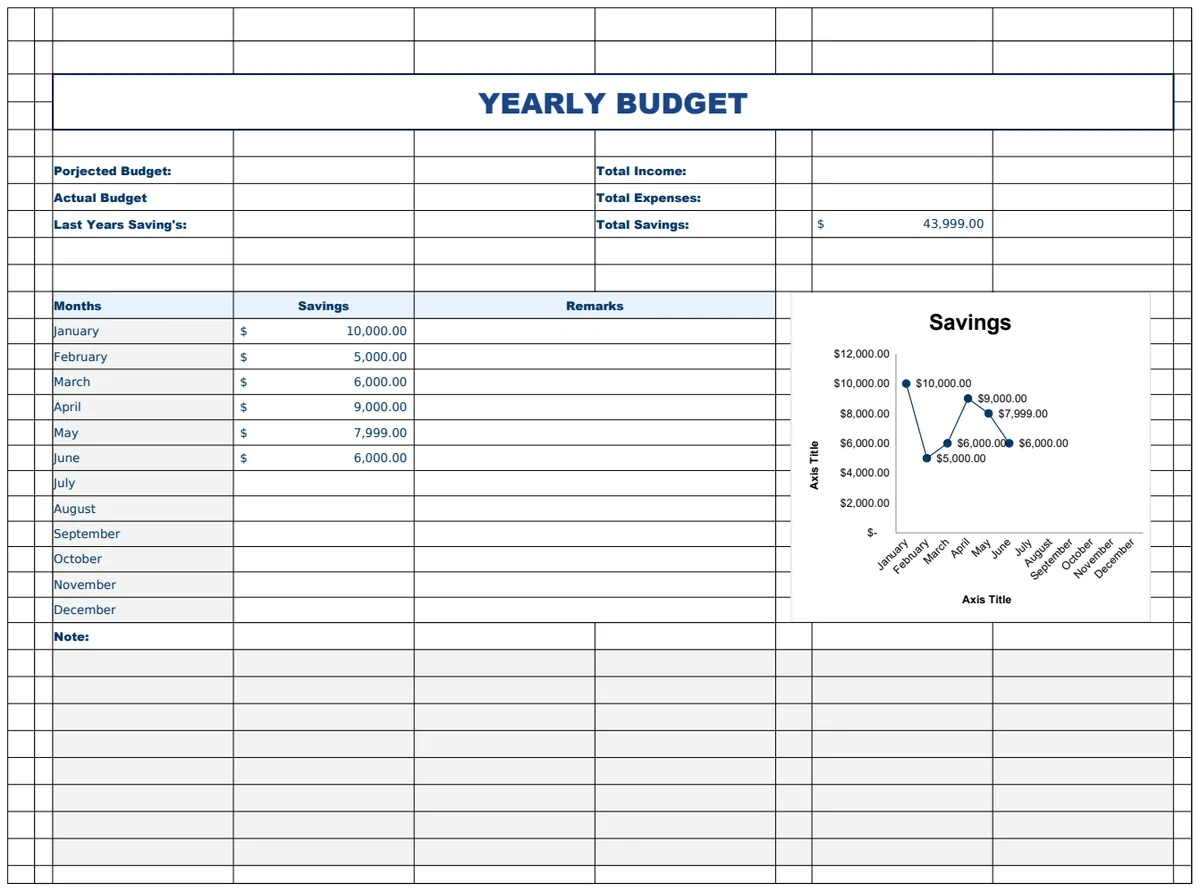
This yearly budget planner template offers a complete overview of your household finances. It breaks down your annual income and expenses, tracks monthly bills with automated due dates, monitors savings goals, plans for large future expenses, and logs daily spending. SUM formulas crunch the numbers for you across its seven sheets, and you get visual charts to see your progress.
It’s a solid choice if you need to map out a full year of income and expenses, keep tabs on recurring bills, and actively work towards specific savings targets like a down payment. The tradeoff is that with seven sheets and this level of detail, it leans towards intermediate users and can feel like a lot to set up initially.
2. Retirement Budget Planner
This retirement budget template helps you project your income, expenses, and savings needs over your retirement years. It includes age-based milestones so you can adjust assumptions and see how different scenarios impact your finances. The two sheets use formulas to automatically calculate totals, and sample data is included to get you started quickly.
Choose this if you’re planning for retirement and want to test different scenarios or timelines. It’s great for comparing how various decisions might affect your financial future. The limitation is that it's focused solely on retirement, so it won't help you budget for your current everyday expenses.
3. Marketing Annual Budget Planner Template
This marketing budget planner helps organizations strategically manage spending over multiple years. It includes separate worksheets for different fiscal years, a helper sheet for quarterly organization, and a section for company details. You get a month-by-month breakdown by marketing category, with SUM and SUMIF formulas to automate calculations and charts for visualization.
This template suits marketing teams who need to plan annual budgets by department or channel, track spending across a full 12 months, and compare budgets across different fiscal years. The drawback is that it's specifically for marketing budgets, so you can't use it for general business or personal finances.
4. Printable Budget Planner Template
This comprehensive household budget planner is designed for personal financial management. It features a monthly budget overview with income and after-tax calculations, a bill payment tracker with reminders, financial goals organized by category, and a debt payment log that includes interest rates and payoff dates. An integrated tracker logs all your income and expenses, with SUM formulas handling the calculations across its nine sheets.
You'll want this if you need to track monthly income and expenses, stay on top of bills and debt payments, and set specific financial goals. It’s beginner-friendly, but the sheer number of sheets means it can feel a bit overwhelming if you just need a simple overview.
5. Savings Goal Tracker
This savings goal tracker allows you to monitor progress towards multiple savings objectives simultaneously. You can assign target amounts and see at a glance how much you've saved for each priority, whether it's taxes, a new car, or a vacation. The template automates progress calculations and presents information in a clear, visual layout.
This is the right tool if you have several financial goals you're working towards and need to allocate your savings across different priorities. It’s straightforward for beginners, but it doesn’t track your income or general expenses, only your savings progress.
6. Household Budget Planner
This household budget template helps you plan and track your monthly spending across various categories like groceries and utilities. It includes sections for both short-term monthly and long-term financial goals, allowing you to set targets and monitor your progress towards savings milestones. SUM formulas automate totals, and it offers budget-versus-actual comparison.
This is a good fit for families wanting to control their spending, build emergency funds, and achieve financial stability. It’s designed for beginners, but its single-sheet structure means it doesn't offer separate views for different financial aspects like debt or detailed bill tracking.
7. 12-Month Yearly Budget Tracker
This template provides a structured 12-month view for tracking budget allocations and spending patterns. Each month is presented in its own column, complete with sample data and automatic AVERAGE functions to help identify spending trends. It supports simple, row-based data entry for various categories.
You should pick this if you need a straightforward annual budget overview to track expenses across all 12 months or monitor departmental budgets for a fiscal year. Its simplicity is its strength, but it lacks the ability to track income or set specific savings goals.
8. Family Budget Planner Template
This family budget planner helps you organize and manage finances with dedicated sheets for income, categorized expenses, and savings goals. It automatically calculates totals using SUM and IFERROR formulas, and includes monthly columns for comparison. You can also visualize your financial data with charts.
This template is ideal for families who need to track income across multiple months, categorize and monitor household expenses, and plan savings goals like emergency funds. The tradeoff is that with five sheets and multiple formulas, it’s geared towards intermediate users and might be more complex than a beginner needs for simple tracking.
9. Business Monthly Budget Template
This business monthly budget template assists organizations in planning and tracking finances with dedicated sections for income, expenses, debt management, savings, and bills. The main sheet allows daily tracking from a designated start day, and a setup sheet organizes everything into categories. It includes SUM, SUMIF, and SUMIFS formulas for calculations, data filtering, and charts for visualization.
This is a strong choice for businesses needing to track monthly income and expenses, manage debts and savings, and organize bills. It offers advanced features like data filtering, but its intermediate difficulty level means it might be overkill if you only need basic income and expense tracking.
10. Personal Yearly Budget Tracker
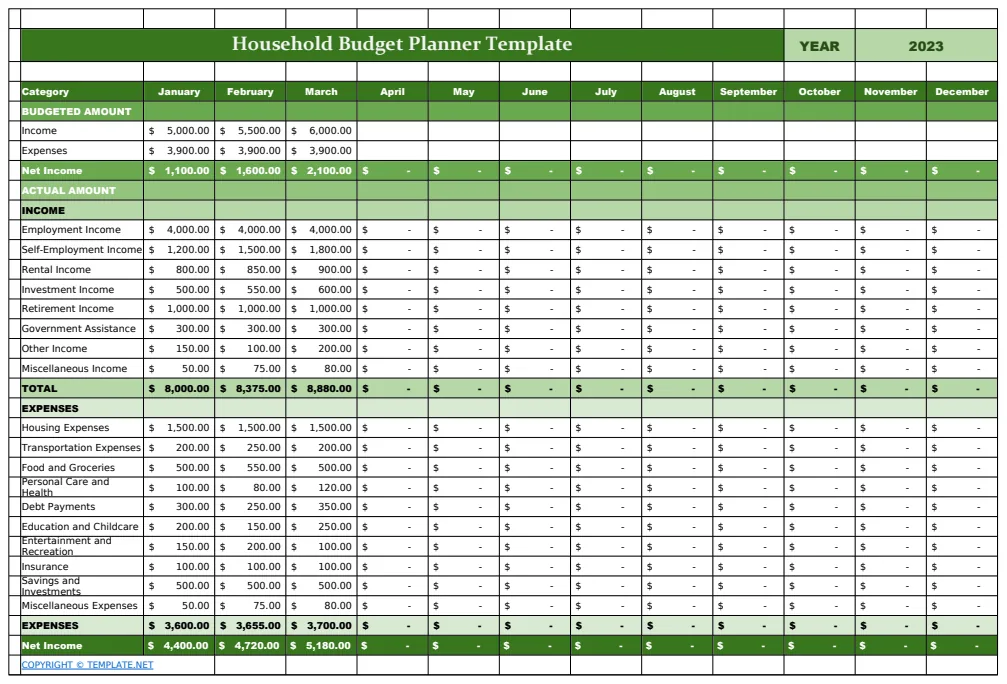
This personal budget template lets you plan and monitor your spending across 12 months with organized category breakdowns. It automatically calculates total income, categorized expenses, and year-end balances, helping you identify spending patterns and stay within budget. SUM formulas handle totals, and it includes budget variance tracking.
This tracker is best for individuals who want to plan annual household spending limits, monitor monthly cash flow, and identify spending patterns throughout the year. It's beginner-friendly, but its single-sheet format means it doesn't offer separate tracking for specific goals like savings or debt repayment.
What makes a yearly or monthly budget planner template actually work
A good budget planner template goes beyond simple data entry. Look for specific columns that guide your input, such as "Date," "Category," "Description," "Income," and "Expense." Formulas are also crucial. A well-built template will use functions like =SUMIFS to total expenses by category or =XLOOKUP to pull in budget figures. Data validation can prevent errors by restricting inputs to predefined lists, like expense categories. The structure should make sense, often with a summary sheet that pulls data from monthly tracking sheets.
Mistakes that break budget planner spreadsheets
One common mistake is not having enough detail in your expense categories. If "Miscellaneous" is your biggest category, you aren't learning anything. Another pitfall is forgetting to update the template regularly. A budget planner is only useful if the data is current. Also, avoid complex formulas you don't understand; if a formula breaks, you might not know how to fix it. Over-complicating the setup, like adding too many custom fields from the start, can also lead to abandonment.
Common questions
Can I use these templates in both Excel and Google Sheets?
Yes, all templates in this list are provided as unlocked .xlsx files. This format works natively in Microsoft Excel and can be easily opened and used in Google Sheets.
Do I need to know advanced Excel or Google Sheets skills to use these?
Most of these templates are designed for beginner to intermediate users. They include instructions and built-in formulas, so you don't need to be an expert. Some of the more advanced ones might benefit from a basic understanding of spreadsheet functions.
Can I customize these templates to fit my specific needs?
Absolutely. Since the files are unlocked, you can easily edit them. You can add or remove categories, adjust formulas, and change the formatting to better suit your personal or business financial tracking.
What is the difference between a yearly and a monthly budget planner template?
A monthly budget planner focuses on your income and expenses within a single month, helping you manage day-to-day spending. A yearly budget planner looks at the entire year, allowing you to set annual goals, track progress over 12 months, and forecast your financial position for the full year. Many yearly templates include monthly breakdowns.