5 essential Excel templates for your startup
Build a robust financial tracking system with editable Excel templates for small businesses to manage income, expenses, and KPIs.
By the end of this, you'll have a functioning system for tracking your business’s income, expenses, and key performance indicators, all within editable Excel files designed for small businesses. You'll be able to spot trends, manage cash flow, and make data-driven decisions without needing advanced accounting software.
Many small business owners start by managing their finances with scattered spreadsheets or even just notebooks. This often leads to missed opportunities, inaccurate forecasting, and a general lack of clarity on the business's true financial health. The good news is that with the right editable Excel templates for small business, you can build a robust financial tracking system that grows with you.
Building Your Core Financial Hub
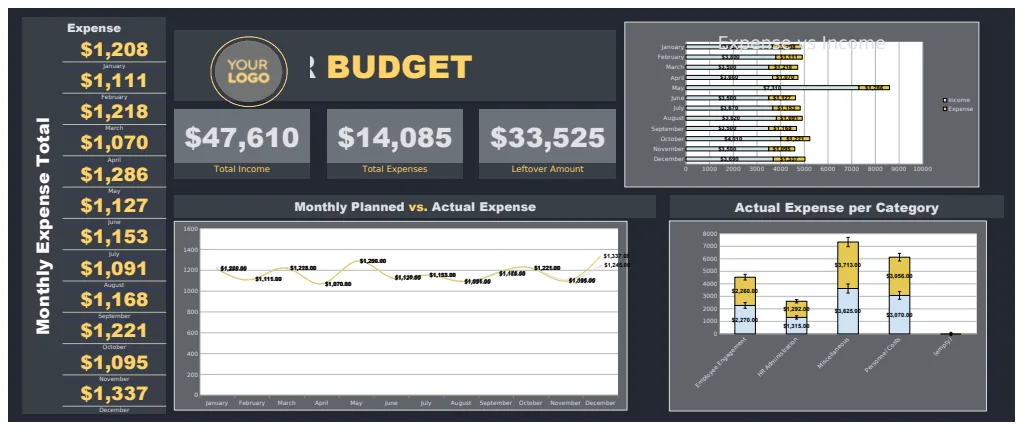
Your primary goal is to create a central place where all your financial data resides and is easy to analyze. This starts with tracking your income and expenses accurately. For this, a dedicated budget template is essential. You want to capture every dollar coming in and going out.
Income Tracking
In your income sheet, aim for columns like:
- Date: When the income was received.
- Customer/Client: Who paid you.
- Service/Product Sold: What generated the income.
- Invoice Number: If applicable, for cross-referencing.
- Gross Amount: The total amount before any deductions.
- Payment Method: e.g., Bank Transfer, Credit Card, Cash.
- Notes: Any relevant details.
Expense Tracking
Your expense sheet should mirror this structure but focus on outgoings:
- Date: When the expense was incurred or paid.
- Vendor/Supplier: Who you paid.
- Category: Crucial for analysis (e.g., Rent, Utilities, Marketing, Supplies, Salaries).
- Description: A brief explanation of the expense.
- Amount: The cost of the expense.
- Payment Method: How you paid.
- Receipt Number/Reference: For audit trails.
These two sections form the bedrock of your financial management. By diligently filling them out, you create the raw data that fuels all other analyses.
Cash Flow Management is King
Understanding your cash flow is paramount. It's not just about profit; it's about having enough liquid cash to cover your immediate obligations. A simple profit-and-loss statement won't tell you if you can make payroll next month. This is where a cash flow forecast becomes invaluable.
Projecting Your Cash Position
A Small Business Cash Flow Forecast Template helps you look ahead. It typically includes sections for:
- Beginning Cash Balance: How much cash you start the period with.
- Projected Cash Inflows: Anticipated income from sales, payments, etc., broken down by month.
- Projected Cash Outflows: Expected expenses, loan payments, owner draws, taxes, also broken down by month.
- Net Cash Flow: The difference between inflows and outflows for each period.
- Ending Cash Balance: The projected cash you'll have at the end of the period.
By projecting this out for 12 months, you can identify potential shortfalls well in advance and take corrective action, such as adjusting spending, chasing overdue invoices, or securing a line of credit.
Beyond Daily Transactions: Strategic Insights
Once your core income and expense data are captured and your cash flow is projected, you can start extracting higher-level insights. This moves you from simply recording transactions to actively managing your business strategy.
The Power of a Dashboard
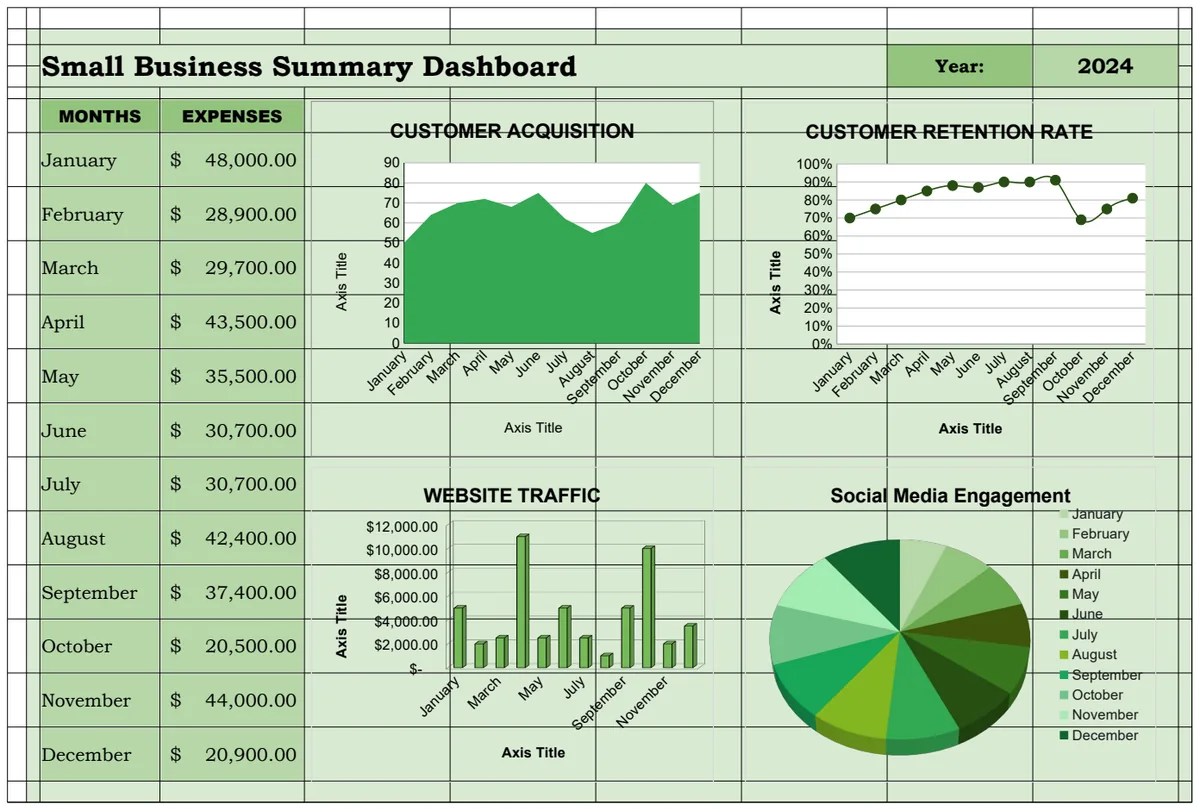
A dashboard acts as your business's command center. It pulls key figures from your various sheets into one easily digestible view, often with charts and graphs. A good Small Business Dashboard Template can show you:
- Revenue Trends: Year-over-year or month-over-month growth.
- Expense Breakdown: Which categories consume the most resources.
- Profitability Ratios: Gross profit margin, net profit margin.
- Cash Position: Current cash on hand and projected trajectory.
- Key Performance Indicators (KPIs): Metrics specific to your business, like customer acquisition cost or average order value.
These visual summaries allow you to quickly grasp your business's health and performance without digging through multiple spreadsheets.
Understanding Your Business's Net Worth
While cash flow is about liquidity, a balance sheet tells you about your business's overall financial position at a specific point in time. It outlines what you own (assets), what you owe (liabilities), and the difference, which is your equity.
A Small Business Simple Balance Sheet Template is crucial for understanding your business’s long-term value. It includes:
- Assets: Current assets (cash, accounts receivable, inventory) and long-term assets (equipment, property).
- Liabilities: Current liabilities (accounts payable, short-term loans) and long-term liabilities (long-term loans, deferred revenue).
- Equity: Owner's equity or retained earnings.
The fundamental equation is Assets = Liabilities + Equity. Regularly updating your balance sheet, even just annually, provides a snapshot of your business's net worth and its financial stability.
Avoiding Common Pitfalls
Even with excellent editable Excel templates for small business, mistakes happen. Being aware of these common issues can save you a lot of headaches.
Data Entry Errors
The most frequent problem is simply typing the wrong number or categorizing an expense incorrectly.
- Solution: Double-check entries as you make them. Implement a review process, perhaps at the end of each week, to catch errors. Use data validation features in Excel to restrict entries to specific formats or lists where possible.
Inconsistent Categorization
If you label "Office Supplies" one month and "Stationery" the next, your expense analysis will be skewed.
- Solution: Create a master list of expense categories and stick to it rigorously. Document this list for anyone else who might be managing the finances.
Ignoring Smaller Transactions
It's tempting to overlook small expenses or income items, but they add up.
- Solution: Track everything. The purpose of these templates is to capture the full financial picture, no matter how small the transaction.
Not Reconciling Accounts
Failing to compare your spreadsheet figures against your actual bank statements and credit card statements can lead to significant discrepancies going unnoticed.
- Solution: Set aside time monthly to reconcile your bank accounts. This involves matching every transaction in your spreadsheet to a corresponding entry on your bank or credit card statement.
Putting It All Together: A Walkthrough
Let's imagine you're setting up your financial tracking system. You've downloaded a few templates and are ready to start.
- 01Set up your core sheets: Begin by opening your Small Business Budget template. Rename the sheets for Income and Expenses if they aren't already.
- 02Define your categories: Go to your Expense sheet and create a definitive list of expense categories in a dedicated column or a separate 'Categories' sheet. For example: Rent, Utilities, Marketing, Software Subscriptions, Salaries, Office Supplies, Travel, Professional Services, Cost of Goods Sold.
- 03Input historical data: If you have past financial records, start inputting them for the current year. Begin with income from your bank statements and then move to expenses.
- 04Integrate your forecast: Open your Cash Flow Forecast template. Link it to your Income and Expense sheets where possible, or manually input your best estimates for future income and expenses for the next 12 months.
- 05Connect your dashboard: Open your Small Business Dashboard template. You'll need to adjust the data source ranges in the formulas and charts to point to your Income, Expense, and potentially your Balance Sheet sheets. This is often the most technical step, but once done, it updates automatically.
- 06Regular Maintenance: Schedule time weekly to record new transactions and monthly to reconcile your accounts and review your dashboard.
By following these steps, you transform static templates into a dynamic, editable system that actively supports your business's financial health. The initial setup takes time, but the ongoing clarity and control are invaluable.
What if my business has very few transactions?
Even with minimal activity, maintaining a structured system prevents issues as you scale. Use a simple income tracker and a basic expense log. A simplified balance sheet can still be useful to track any assets or liabilities, however small.
How often should I update my Balance Sheet?
For most small businesses, updating the balance sheet quarterly or annually is sufficient. If your business involves significant assets or liabilities that change frequently (like inventory or large loans), you might consider monthly updates.
Can I use these templates with Google Sheets?
Yes, most Excel (.xlsx) files can be imported into Google Sheets. You can open them directly in Google Sheets or use the "File > Import" function. Be aware that some advanced Excel features, like certain complex macros or specific charting types, might not translate perfectly. However, for core financial tracking, they generally work very well.
Where can I find more advanced templates?
For more specialized needs, like inventory management, project costing, or detailed payroll tracking, you might explore dedicated software solutions. However, for core financial management, accounting, and strategic planning, the templates available are quite extensive. You can explore more options at /templates or learn about pricing at /pricing.