Excel vs. Sheets for your recipe costing template
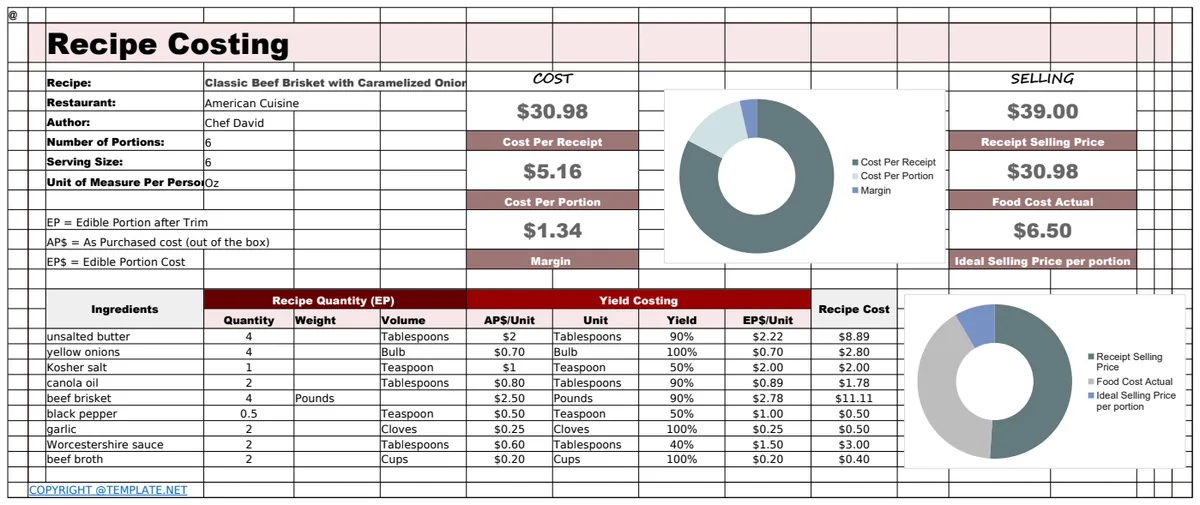
Discover the best recipe costing spreadsheet template free to accurately calculate your dish costs and boost profitability for your food business.
Manually calculating recipe costs on paper is a tedious exercise that rarely holds up to scrutiny. A well-structured recipe costing spreadsheet template free to download or build yourself is the only practical way to get accurate figures for your dishes. This approach allows for quick updates when ingredient prices change, and you can easily see the profitability of every menu item.
When you’re running a food business, whether it’s a restaurant, catering service, or even a home-based bakery, knowing your exact food cost per dish isn't just helpful; it's essential for survival. You need to price your menu items to cover ingredient expenses, labor, overhead, and still make a profit. Without a system, you’re essentially guessing, and that’s a quick way to lose money. A free recipe costing spreadsheet template can be the foundation for that system.
Why Manual Costing Fails
Let’s be honest, scribbling ingredient weights and prices on a notepad is a path to disaster. Imagine a popular dish uses 50 grams of a specific spice. If you only have a small jar, you might think its cost is relatively low. But if you buy that spice in bulk, the unit cost drops dramatically. Manual methods often rely on approximations, leading to inaccurate food cost percentages. Plus, recalculating everything when a supplier changes their pricing or you switch to a new vendor is a nightmare. You’ll miss price fluctuations, underestimate costs, and ultimately, struggle to set profitable menu prices.
Building Your Own Recipe Costing Spreadsheet
You can absolutely create your own recipe costing spreadsheet. Here's a straightforward approach using common spreadsheet functions.
1. Ingredient List Sheet: This is your master list. Create columns for:
- Ingredient Name: (e.g., "All-Purpose Flour," "San Marzano Tomatoes (28oz can)," "Boneless Skinless Chicken Breast")
- Unit of Measure (Purchased): (e.g., "lb," "oz," "kg," "gallon," "each," "case") This is how you buy it.
- Cost per Unit (Purchased): (e.g., $2.50 for 5 lbs of flour, $3.00 for a 28oz can of tomatoes, $4.99 per lb of chicken)
- Unit of Measure (Used): (e.g., "grams," "oz," "cups," "ml," "each") This is how you measure it in your recipes.
- Conversion Factor: This is the critical column. It tells you how many "Unit of Measure (Used)" are in one "Unit of Measure (Purchased)". For example, if you buy flour by the pound (lb) but use it by grams, you'd need to know that 1 lb is approximately 453.592 grams. So, your conversion factor would be 453.592. If you buy tomatoes by the 28oz can and use them in ounces, the factor is 28. If you buy chicken breasts by the pound and use them by the pound, the factor is 1.
- Cost per Unit (Used): This is where the calculation happens. The formula would be:
= [Cost per Unit (Purchased)] / [Conversion Factor]. This gives you the cost for the smallest unit you'll typically measure in your recipes. For example, if flour costs $2.50 per lb and 1 lb is 453.592 grams, the cost per gram of flour is approximately $2.50 / 453.592 = $0.00551.
2. Recipe Sheet: Now, for each recipe, create a new sheet or a section within a larger sheet. Use these columns:
- Ingredient Name: Type the name of the ingredient. You can use data validation to create a dropdown list pulling from your Ingredient List sheet to ensure consistency.
- Quantity (Used): The amount of the ingredient you use in this specific recipe.
- Unit of Measure (Used): The unit for the quantity (e.g., grams, oz, cups). This should match the "Unit of Measure (Used)" from your Ingredient List.
- Cost per Unit (from Ingredient List): Use a lookup function like
VLOOKUPorXLOOKUPto pull the "Cost per Unit (Used)" from your Ingredient List based on the Ingredient Name. For instance, in Excel, if your Ingredient List is on Sheet1 in columns A:F and the "Cost per Unit (Used)" is in column F, and your Recipe sheet has the Ingredient Name in column A, the formula would look something like=XLOOKUP(A2, Sheet1!A:A, Sheet1!F:F, "Not Found"). - Ingredient Cost: This is the cost for this specific ingredient in this recipe. The formula is simple:
= [Quantity (Used)] * [Cost per Unit (from Ingredient List)]. - Total Recipe Cost: At the bottom of the Ingredient Cost column, sum up all the individual ingredient costs:
=SUM(Ingredient Cost Column).
3. Menu Pricing Sheet: This sheet uses the data from your Recipe Sheet.
- Recipe Name: The name of your dish.
- Total Recipe Cost: Pull this value from your Recipe Sheet.
- Target Food Cost Percentage: Decide on your desired food cost percentage (e.g., 30%).
- Menu Price: Calculate the price needed to meet your target. The formula is:
= [Total Recipe Cost] / [Target Food Cost Percentage]. So, if your recipe cost is $3.50 and your target is 30% (or 0.30), your menu price would be $3.50 / 0.30 = $11.67. You'd then round this to a customer-friendly price like $11.95 or $12.00.
Using a Pre-Built Template
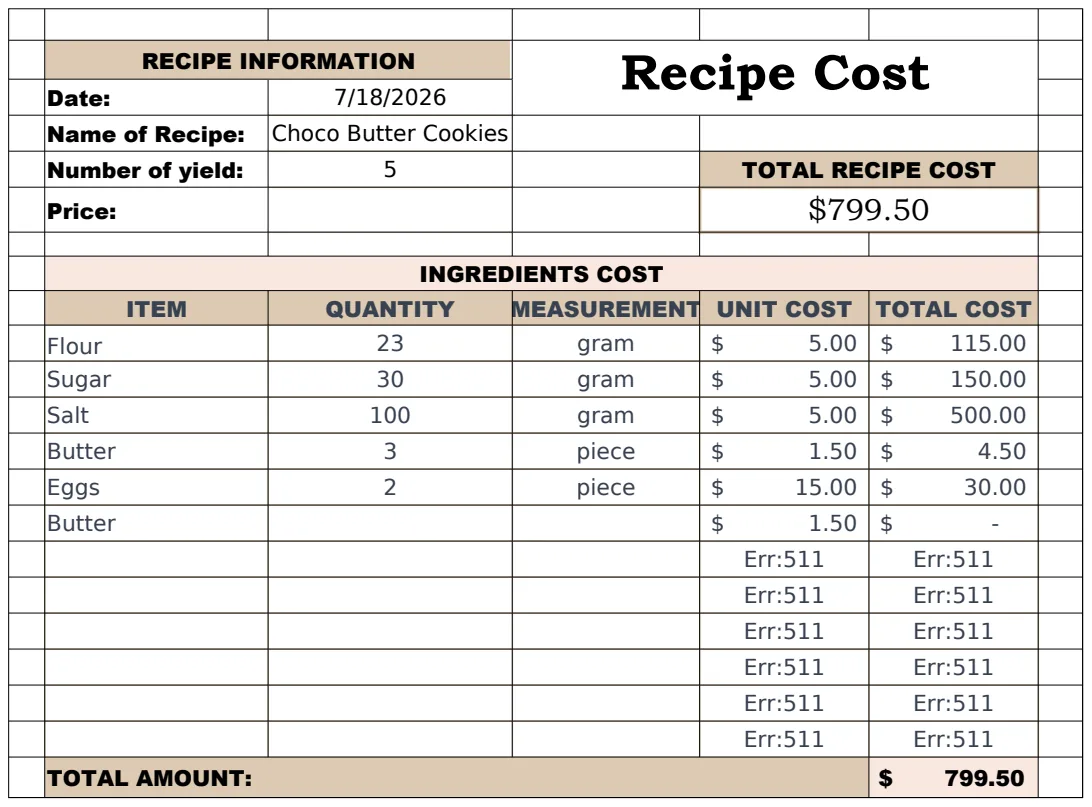
While building your own is educational, sometimes you just need to get started quickly. There are excellent templates available that do all of this for you. For a business that needs detailed food cost analysis and recipe costing, a template like the Food Cost Template is invaluable. It often includes features for inventory tracking, yield percentages, and even sales data integration. If you’re a home cook or small operation focusing purely on recipe costs, a simpler tool like the Recipe Cost Calculator (Household & Family) or the Recipe Cost Template (Budgeting & Expense Management) might be more suitable. These templates are designed to quickly calculate your cost per serving and help you understand your ingredient expenses. For optimizing menu pricing, the Recipe Cost Calculator (Invoicing & Billing) is a strong contender.
Common Mistakes to Avoid
- Ignoring Waste and Spoilage: Your ingredient cost calculation should account for potential waste. If you buy a whole chicken that weighs 4 lbs but yields only 2 lbs of usable meat after trimming, your cost per pound of usable meat is doubled. This is known as yield.
- Not Accounting for Portion Control: If your recipe calls for 4 oz of protein but your staff consistently serves 5 oz, your actual food cost will be higher than calculated. Standardizing portion sizes is key.
- Forgetting Small Ingredients: Those small amounts of herbs, spices, oils, or garnishes can add up. Make sure they are listed and costed, even if their individual cost seems negligible.
- Outdated Pricing: Ingredient prices fluctuate. A recipe costing spreadsheet needs to be a living document, with costs updated regularly (monthly is often a good starting point).
- Inconsistent Units: Mixing grams, ounces, pounds, and kilograms without proper conversion will lead to wild inaccuracies. Stick to one system for purchase and one for use, and ensure your conversion factors are correct.
Frequently Asked Questions
What is the most important column in a recipe costing spreadsheet?
The "Cost per Unit (Used)" column in your ingredient list and the "Ingredient Cost" column in your recipe are paramount. These are the numbers that directly tell you how much each component of your dish costs, forming the basis for all further calculations.
How often should I update my recipe costs?
You should update your ingredient costs whenever a significant price change occurs with your suppliers. For most businesses, a monthly review of your master ingredient list is a good practice to catch gradual price creep or seasonal fluctuations.
Can I use a free recipe costing spreadsheet template for a commercial kitchen?
Yes, many free recipe costing spreadsheet templates are robust enough for commercial kitchens. However, for professional use, investing in a dedicated template designed for more complex needs like inventory management, yield tracking, and detailed profit analysis can save significant time and prevent costly errors. You can find a variety of options at places like OpenWorksheet, where a one-time purchase gives access to many professional templates.
What if an ingredient price changes drastically?
If an ingredient price changes drastically, you need to immediately update that ingredient's cost in your master list. Then, recalculate the cost for any recipes that use that ingredient. This will likely necessitate a review of your menu pricing to maintain your target food cost percentage.