Flip houses faster with this Excel template
Learn how a house flipping spreadsheet template in Excel can help you analyze deals and boost your profits.
By the end of this, you'll have a working house flipping spreadsheet template in Excel that tracks your potential deals from initial analysis through to sale, giving you a clear picture of profitability on each property. You'll know precisely which expenses matter, where your margins stand, and what a reasonable offer price looks like for your next flip. This isn't about guesswork; it's about data-driven decisions that put more money in your pocket.
When you're analyzing a potential house flip, the numbers need to be crystal clear. A well-structured house flipping spreadsheet template Excel can be the difference between a home run and a financial sinkhole. It forces you to account for every potential cost, from the purchase price and closing costs to renovation materials, labor, unexpected repairs, and even holding costs like taxes and insurance. Without this detailed breakdown, you're essentially flying blind.
Essential Components of Your Flip Sheet
At its core, a successful house flipping spreadsheet template Excel needs to consolidate a lot of information into easily digestible sections. Think of it as your central command for each deal. I typically break mine down into these key areas:
- Deal Information: Basic property details, address, purchase date, projected sale date, and the target investor.
- Acquisition Costs: The price you paid for the property, plus all associated closing costs, loan fees, and initial inspections.
- Rehabilitation Budget: A detailed line-item breakdown of all expected renovation expenses. This is where you'll list materials, labor, permits, and any specialized services.
- Holding Costs: Expenses incurred while you own the property, such as property taxes, insurance, utilities, HOA fees, and mortgage interest.
- Selling Costs: Costs associated with selling the property, including real estate agent commissions, closing costs for the sale, and any necessary repairs or staging.
- Profitability Analysis: This section brings it all together to calculate your gross profit, net profit, return on investment (ROI), and profit per day.
Setting Up Your Acquisition Costs Tab
This is where your deal begins. On a sheet titled "Acquisition," you'll want columns that capture everything you spent to get the property under contract and ready for renovation.
- Column A: Item: A descriptive name for the cost (e.g., "Purchase Price," "Inspection Fee," "Appraisal Fee," "Loan Origination Fee," "Title Insurance").
- Column B: Cost: The actual dollar amount for each item.
- Column C: Notes: Any relevant details about the cost (e.g., "Lender A," "Contractor X").
At the bottom of this sheet, use a simple =SUM(B2:B10) formula (adjusting the range as needed) to get your Total Acquisition Cost. This number will be crucial for later calculations.
Detailing Your Rehab Budget
The rehabilitation section is arguably the most critical for controlling costs and ensuring profitability. This is where you can get granular. I usually create a separate sheet named "Rehab Budget."
- Column A: Category: Broad categories like "Kitchen," "Bathroom," "Flooring," "Exterior," "Electrical," "Plumbing."
- Column B: Item: Specific items within each category (e.g., "Cabinets," "Countertops," "Tile," "Paint," "New Fixtures," "Drywall Repair," "Roof Shingles").
- Column C: Estimated Cost: Your projected cost for each item. This should be based on quotes, research, or past experience.
- Column D: Actual Cost: As you incur expenses, you'll fill this in. This is vital for tracking overruns.
- Column E: Variance: A formula here,
=C2-D2, will show you if you're over or under budget for that specific item. A positive number means you're under budget; a negative number means you've overspent. - Column F: Notes: Details about suppliers, contractor names, or specific product choices.
At the bottom of the "Rehab Budget" sheet, you'll want a sum for "Total Estimated Rehab Cost" and "Total Actual Rehab Cost," along with a "Total Variance." This gives you an immediate overview of your renovation spending.
Tracking Holding Costs
These costs can sneak up on you if not properly accounted for. A "Holding Costs" sheet is essential.
- Column A: Expense Type: Examples include "Property Tax (Monthly)," "Insurance (Monthly)," "Utilities (Monthly Average)," "HOA Dues (Monthly)," "Mortgage Interest (Monthly)."
- Column B: Cost Per Period: The cost for that specific type of expense.
- Column C: Number of Periods: How many months you anticipate holding the property.
- Column D: Total Holding Cost: A formula like
=B2*C2will calculate the total cost for that expense type over the holding period.
A grand total at the bottom of this sheet provides your complete projected holding expense.
Calculating Selling Costs
Don't forget the expenses that come with offloading the property.
- Column A: Item: "Real Estate Agent Commission," "Title Company Fees," "Escrow Fees," "Transfer Taxes," "Staging Costs," "Punch List Repairs."
- Column B: Estimated Cost: Your projection for each selling expense.
- Column C: Actual Cost: The final amounts paid.
- Column D: Variance:
=B2-C2to see differences.
A sum at the bottom will show your Total Selling Costs.
The Profitability Dashboard
This is where all your hard work pays off. Create a sheet named "Dashboard" or "Profit Summary." You’ll use formulas to pull data from your other sheets.
- Cell A1: Property Address:
= 'Deal Information'!B2(or wherever you store it) - Cell A2: Purchase Price:
= 'Acquisition'!B2 - Cell A3: Total Acquisition Costs:
= SUM('Acquisition'!B2:B50) - Cell A4: Total Estimated Rehab Cost:
= SUM('Rehab Budget'!C2:C100) - Cell A5: Total Actual Rehab Cost:
= SUM('Rehab Budget'!D2:D100) - Cell A6: Total Holding Costs:
= SUM('Holding Costs'!D2:D20) - Cell A7: Total Selling Costs:
= SUM('Selling Costs'!C2:C20) - Cell A8: Projected Sale Price: This is a critical input you'll determine based on market analysis.
- Cell A9: Projected Gross Profit:
= A8 - A3 - A5 - A6 - A7(Projected Sale Price minus all actual costs) - Cell A10: Projected Net Profit: This might be the same as gross profit if you're not factoring in your time, or you might have a line item for "Investor Fee" or "Management Fee" if you're managing the project yourself and want to assign a value.
- Cell A11: ROI (Return on Investment):
= A9 / (A3 + A5 + A6)(Net Profit divided by Total Investment) - Cell A12: Profit Per Day:
= A9 / (Projected Sale Date - Purchase Date)(You'll need to link the dates from your Deal Info sheet).
This dashboard should provide an immediate, at-a-glance view of the deal's financial health.
Mistakes to Avoid
Many beginners make common errors that eat into profits.
- Underestimating Rehab Costs: Always add a contingency fund, typically 10-20% of your estimated rehab budget, for unexpected issues.
- Ignoring Holding Costs: Property taxes, insurance, and utilities accrue every month you own the property. Factor them in accurately.
- Overpricing the Sale: Set a realistic sale price based on comparable market analysis, not wishful thinking.
- Not Tracking Actuals: If you don't fill in the "Actual Cost" columns, your analysis is useless for future deals.
- Forgetting Soft Costs: This includes things like permits, design fees, or specialized consultant fees that aren't material or labor.
Advanced Features and Customization
Once you have the core functionality of your house flipping spreadsheet template Excel, you can enhance it.
Using Conditional Formatting
Highlighting key numbers can make your dashboard much more intuitive. For example, on your "Rehab Budget" sheet, you can use conditional formatting to:
- Turn the "Variance" cell red if the value is negative (over budget).
- Turn it green if it's positive (under budget).
- Make it yellow if it's within a small acceptable range (e.g., +/- 5%).
This visual cue helps you quickly spot problem areas.
Incorporating a Deal Pipeline
For those managing multiple potential deals, consider adding a "Pipeline" sheet. This could include columns like:
- Address
- Status (e.g., "Lead," "Analysis," "Under Contract," "Closed," "Sold")
- Estimated ARV (After Repair Value)
- Estimated Offer Price
- Estimated Profit
- Next Action Date
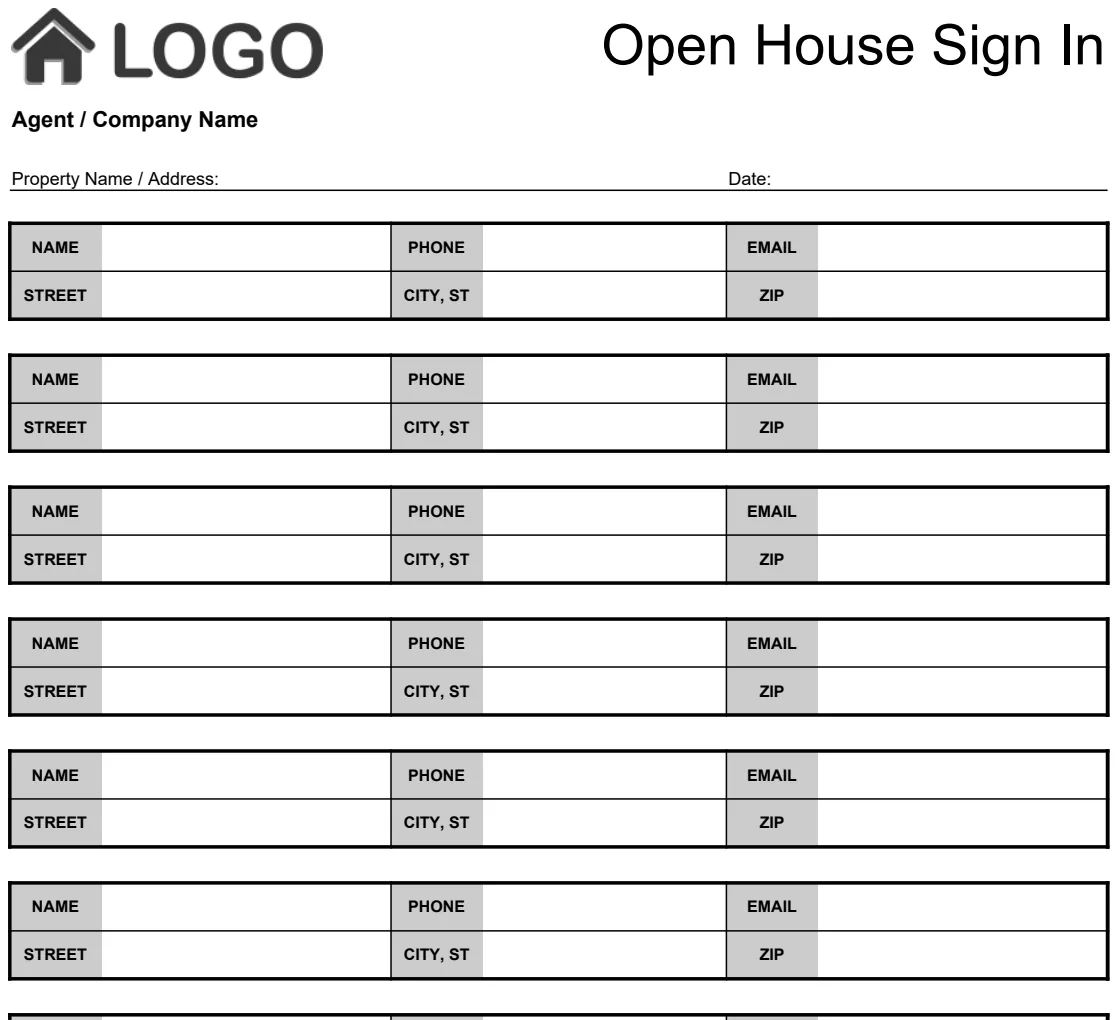
This helps you visualize your deal flow and prioritize your efforts. You might even find yourself needing a way to organize visitor information for open houses, in which case a template like Open House Sign In Sheet could be useful.
Linking to Other Data Sources
For more complex scenarios, you could explore linking to external data if available, though for most flips, manual input and calculation within Excel are sufficient. The key is consistency in your data entry.
Considering a Property Management Aspect
If you're holding properties for rental income after the flip, you'll need to expand your model significantly to include rental income, tenant management, and ongoing maintenance. For tracking open house visitors when you're trying to attract buyers or tenants, consider using a template like Open House Sign In Sheet.
Frequently Asked Questions
How often should I update my spreadsheet?
You should update your spreadsheet as soon as you have new information. This means entering actual costs as soon as you pay invoices, updating your projected sale price based on market feedback, and noting any changes in your rehab timeline or budget. For active flips, daily or every-other-day updates are ideal.
Can I use this for wholesale deals?
Yes, while the rehab and holding cost sections would be largely irrelevant for a pure wholesale deal, the core acquisition cost tracking and profit calculation can be adapted. You'd focus more on the assignment fee and the difference between your contract price and the buyer's price.
What if I have multiple properties in different stages?
You'll want to create a separate copy of your house flipping spreadsheet template Excel for each property or set up a master dashboard that pulls summary data from individual property sheets. The latter requires more advanced Excel skills but offers a powerful overview of your entire portfolio. For managing open houses associated with your properties, an Open House Sign In Sheet can help you capture potential buyer interest.
Is there a cost for a good template?
Many people find success using custom-built spreadsheets, which are free beyond the cost of the software itself. If you prefer a pre-built solution, you can find various templates online, and the OpenWorksheet library offers a range of options for a one-time fee of $9 for unlimited downloads.