Excel vs. Sheets: Which freelancer expense tracker wins?
Choosing the right freelancer expense tracker spreadsheet template is crucial for understanding your business finances and making informed decisions.
The Category column in your freelancer expense tracker spreadsheet template is probably more powerful than you realize. If you don't set it up correctly from the start, you'll spend hours later trying to categorize expenses, making it hard to see where your money is actually going. A well-defined set of categories is the backbone of any good financial overview.
Setting up a solid freelancer expense tracker spreadsheet template is key to understanding your business's financial health. It's not just about logging receipts; it's about creating a system that gives you actionable insights. This means tracking every dollar spent, from software subscriptions to client lunches, and then being able to analyze that spending effectively.
Essential Columns for Your Tracker
When building your own freelancer expense tracker spreadsheet template, or adapting an existing one, start with these core columns. Each serves a distinct purpose in capturing and organizing your financial data.
- Date: The day the expense occurred. Crucial for chronological tracking and tax reporting.
- Description: A brief, clear note about what the expense was for. Be specific enough that you'll remember it six months from now. Instead of "Office Supplies," try "Printer Ink Cartridges, Staples."
- Category: This is where you group similar expenses. Common categories include "Software & Subscriptions," "Office Supplies," "Travel," "Meals & Entertainment," "Professional Development," "Utilities," and "Insurance."
- Sub-Category (Optional but Recommended): For more granular analysis, add a sub-category. For example, under "Software & Subscriptions," you might have "Project Management Tools," "Accounting Software," or "Cloud Storage."
- Amount: The total cost of the expense.
- Payment Method: How you paid, e.g., "Business Credit Card," "Personal Card," "Bank Transfer," "Cash." This helps reconcile statements.
- Client/Project (Optional): If you want to track expenses against specific clients or projects, include this column. This is invaluable for understanding the profitability of individual engagements.
- Receipt Attached (Yes/No or Link): A simple flag to indicate whether you have a supporting receipt. If you scan or photograph receipts, you can even include a link to the file location.
Setting Up Your Categories
The Category column is where you'll gain the most insight. Avoid being too broad or too narrow. A good rule of thumb is to think about what information you'd need to make business decisions or what categories appear on tax forms.
Here’s a sample list of categories, with optional sub-categories:
- Office Expenses:
- Supplies
- Rent/Utilities (if applicable)
- Internet/Phone
- Software & Subscriptions:
- Project Management
- Design Tools
- Accounting Software
- Cloud Storage
- Marketing & Advertising:
- Website Hosting
- Online Ads
- Business Cards
- Travel & Transportation:
- Fuel
- Public Transport
- Parking
- Tolls
- Meals & Entertainment:
- Client Meals
- Networking Events
- Professional Development:
- Courses & Training
- Books & Publications
- Conferences
- Professional Fees:
- Accountant
- Legal Fees
- Consultants
- Insurance:
- Liability Insurance
- Health Insurance
- Taxes:
- Estimated Tax Payments
- Self-Employment Tax
Don't feel you need to use every single one. Tailor this list to your specific freelance business.
Using Formulas for Powerful Insights
Once your data is logged, formulas are what transform a simple list into a powerful financial tool. Most spreadsheet programs offer robust functions.
SUMIFS for Category Totals
The SUMIFS function is your best friend for summarizing expenses by category. Let's say your expense data is in Sheet1, starting from row 2. Your Category column is column C, and your Amount column is F.
To find the total spent on "Software & Subscriptions" (which you've entered as text in cell A1 of a summary sheet), the formula would look like this:
=SUMIFS(Sheet1!F:F, Sheet1!C:C, A1)
This formula tells Excel (or Google Sheets) to sum all values in column F on Sheet1 if the corresponding value in column C on Sheet1 matches the text in cell A1 of your current sheet.
Conditional Formatting for Overspending
You can use conditional formatting to highlight expenses that exceed a certain threshold or to visually flag categories that are consuming a large portion of your budget.
For example, to highlight any individual expense over $500 in red:
- 01Select the
Amountcolumn (Column F). - 02Go to "Conditional Formatting" > "Highlight Cells Rules" > "Greater Than...".
- 03Enter
500and choose a formatting style (e.g., light red fill with dark red text).
Or, to highlight categories that are consistently high:
- 01Create a summary table showing each category and its total spent.
- 02Select the column with the total amounts.
- 03Use "Conditional Formatting" > "Color Scales" to visually represent the magnitude of spending across categories.
YEARFRAC and EDATE for Time-Based Analysis
If you need to prorate annual costs or calculate how much of a year has passed for a specific expense, functions like YEARFRAC and EDATE can be useful. For instance, if you pay an annual software license fee, YEARFRAC can help you determine the portion of that cost attributable to the current fiscal year.
Common Mistakes Freelancers Make
Even with a good freelancer expense tracker spreadsheet template, it's easy to fall into common traps. Being aware of these can help you avoid them.
- Inconsistent Categorization: This is the most frequent error. If you sometimes log "Internet" as "Utilities" and other times as "Office Expenses," your reports will be inaccurate. Define your categories and stick to them.
- Forgetting to Log Expenses: Small expenses add up. If you don't have a system for logging them immediately (like a mobile app that syncs or a quick entry method), they're easily forgotten.
- Not Tracking Personal vs. Business: Mixing personal and business expenses on the same card or account without clear demarcation is a recipe for disaster, especially during tax season. If you use a personal card, meticulously note which items are business expenses. A dedicated business account is highly recommended.
- Ignoring "Receipt Attached": While you might have a receipt for every transaction, if you don't have a system for organizing them digitally or physically, they might as well not exist. Use a consistent naming convention for digital files.
- Overly Complex or Too Simple Categories: As mentioned, finding the right balance is key. Too few categories obscure detail, while too many make reporting a chore.
Tracking Expenses for Tax Purposes
Your freelancer expense tracker spreadsheet template is a critical tool for tax deductions. Many business expenses are tax-deductible, which can significantly reduce your taxable income.
Ensure your categories align with common tax deduction areas. For example, "Home Office Deduction" (if you qualify), "Business Use of Car," "Supplies," "Software," and "Professional Fees" are all standard.
When logging expenses, always consider if they are "ordinary and necessary" for your freelance business. This is the general IRS standard for deductibility. If in doubt, consult with a tax professional. Keeping meticulous records with your expense tracker will make tax preparation much smoother and help you justify any deductions claimed.
If you need a starting point for tracking your income and expenses, a template like the Free Sample Freelance Budget Template can be very helpful. It provides a structured way to log your financial activities.
Integrating with Other Financial Tools
While a spreadsheet is powerful, it doesn't have to exist in a vacuum.
Accounting Software: For more complex businesses or those looking to scale, consider integrating your spreadsheet data into accounting software like QuickBooks, Xero, or Wave. Many accounting programs allow you to import CSV files, which you can export from your spreadsheet. This can automate bookkeeping tasks and provide more sophisticated reporting.
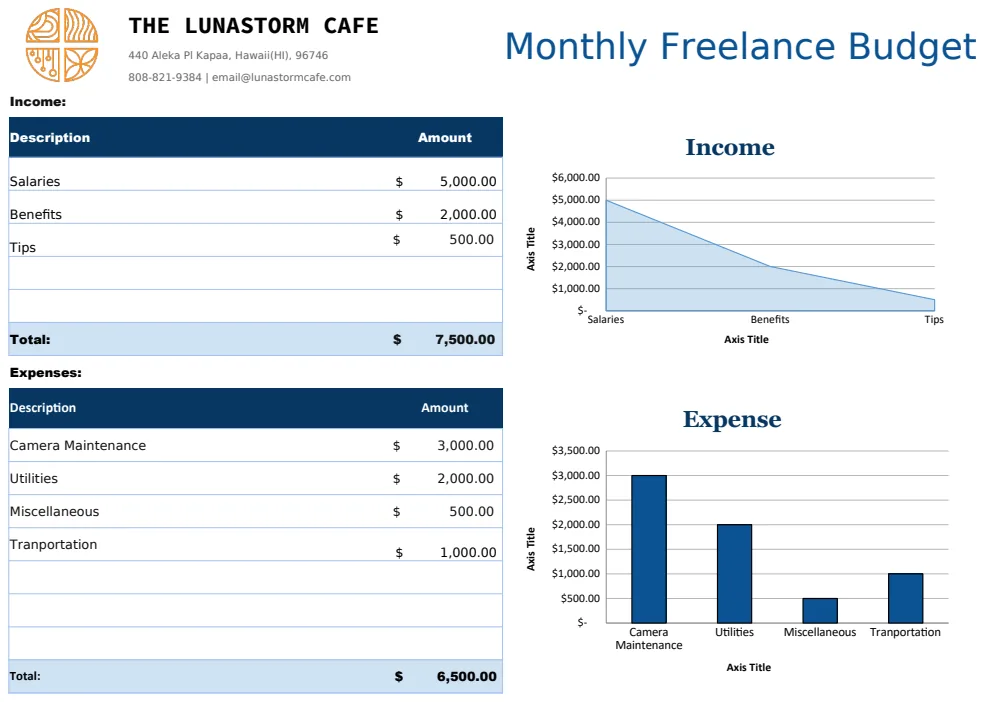
Budgeting Templates: Your expense tracker feeds directly into your budgeting. Tools like the Monthly Freelance Budget Template allow you to compare your actual spending (from your tracker) against your planned budget, helping you manage cash flow and identify areas for cost savings. For a quicker overview, the Free Weekly Freelance Budget Template offers a more immediate look at your financial performance.
Receipt Management Apps: If physical receipts are a constant headache, consider using a receipt scanning app. Many allow you to categorize expenses on the go and export data. Some can even integrate directly with accounting software.
Where Can I Find a Freelancer Expense Tracker Spreadsheet Template?
You can find many pre-built freelancer expense tracker spreadsheet template options online. Some are basic, while others are quite advanced. Libraries like OpenWorksheet offer templates designed for freelancers, often with pre-configured categories and formulas. The key is to choose one that fits your specific needs or is easily customizable.
How Detailed Should My Expense Descriptions Be?
Be as detailed as you need to be for future recall. Instead of "Lunch," write "Lunch with potential client Sarah Lee at The Bistro to discuss project X." This context is crucial, especially for meals and entertainment expenses, which often have specific deductibility rules.
Can I Use a Single Spreadsheet for Both Income and Expenses?
Yes, absolutely. Many freelancers prefer to have a single master spreadsheet that tracks both income and expenses. You can create separate tabs for each or combine them into one log with a clear indicator for income versus expense. A template like the Printable Expense Template offers a dual-sheet approach that can be adapted for income as well. The core principle remains: consistent logging and clear categorization.
What If My Business Has Very Few Expenses?
Even if your freelance business has minimal expenses, tracking them is still vital. It helps you understand your true profit margin, identify potential cost savings, and ensures you don't miss out on legitimate tax deductions. What seems like a small expense today could be a significant deduction when aggregated over a tax year.