Your 10 essential construction invoice columns in Excel
Learn how to create a professional construction invoice template in Excel to manage cash flow and project profitability.
Most people think a construction invoice template Excel file is just a fancy spreadsheet, but it's really a tool to manage cash flow and project profitability. You need a clear, professional way to bill clients for work done, materials used, and any change orders, and that's exactly what a good template provides. If you're looking for a robust construction invoice template Excel solution, you've come to the right place.
A well-structured invoice prevents payment delays and disputes. It itemizes all charges, from labor hours and equipment rental to specific materials and subcontractors. This transparency builds trust with clients and ensures you get paid accurately and on time for every project.
Essential Components of a Construction Invoice
At its core, a construction invoice needs to be clear, comprehensive, and professional. Missing even one key piece of information can lead to confusion or payment holds. Here’s a breakdown of what you absolutely must include:
- Your Company Information: Full legal name, address, phone number, email, and website. This establishes your legitimacy.
- Client Information: The client's name, company name (if applicable), and billing address. Ensure this matches your contract.
- Invoice Number: A unique, sequential number for tracking. This is critical for accounting and record-keeping.
- Invoice Date: The date the invoice was issued.
- Project Information: Project name, address, and any relevant job or purchase order number.
- Description of Services/Materials: A detailed breakdown of what you’re billing for. For construction, this often includes:
- Labor (e.g., "Plumbing Installation - 40 hours @ $75/hour")
- Materials (e.g., "200 sq ft Drywall @ $2.50/sq ft")
- Equipment Rental (e.g., "Excavator Rental - 3 days @ $500/day")
- Subcontractor Costs (e.g., "Electrical Work - J. Smith Electric")
- Change Orders (clearly itemized and referencing the approved change order number)
- Quantities and Unit Prices: For each line item, specify the quantity and the price per unit.
- Line Item Totals: The calculated total for each description (quantity * unit price).
- Subtotal: The sum of all line item totals before taxes or other charges.
- Taxes: Applicable sales tax or other taxes, clearly itemized.
- Other Charges/Fees: Any other agreed-upon fees, such as permit costs or administrative fees.
- Total Amount Due: The final amount the client owes.
- Payment Terms: Clearly state your payment terms (e.g., "Net 30," "Due upon receipt," "50% deposit required").
- Payment Methods: How clients can pay (e.g., check, bank transfer, online payment link).
- Notes/Reminders: Any additional information, like late payment penalties or a thank you message.
Designing Your Construction Invoice Template in Excel
Creating your own construction invoice template Excel file in Excel allows for maximum customization. While pre-built templates are convenient, understanding the structure helps you modify them or build one from scratch.
Start with a blank worksheet. You'll want to dedicate sections for your company details, client details, project specifics, and the itemized list of services and materials. Use merged cells for headers like "Invoice To" and "From" to give it a clean, professional look.
For the line items, set up columns for "Description," "Quantity," "Unit Price," and "Line Total." In the "Line Total" column, you'll use a simple formula: =Quantity_Cell * Unit_Price_Cell. For example, if Quantity is in cell D5 and Unit Price is in E5, the formula in F5 would be =D5*E5.
Below your itemized list, create cells for "Subtotal," "Taxes," and "Total Amount Due." The Subtotal can be calculated using =SUM(Range_of_Line_Totals). For example, if your line totals are in cells F5 through F20, the subtotal formula would be =SUM(F5:F20).
Conditional formatting can add a professional touch. You might use it to highlight overdue invoices in red, or to visually separate different sections of the invoice.
Leveraging Formulas for Accuracy
The real power of a construction invoice template Excel sheet lies in its formulas. These automate calculations, drastically reducing the chance of human error.
- Line Item Totals: As mentioned,
=Quantity * Unit_Priceis fundamental. - Subtotal:
=SUM(First_Line_Item_Total_Cell:Last_Line_Item_Total_Cell)is crucial. - Tax Calculation: If you need to apply a percentage tax, the formula would look like
=Subtotal_Cell * Tax_Rate_Cell. Ensure your tax rate is either hardcoded (e.g.,=0.07for 7%) or, ideally, in a separate cell that you can easily update. - Total Amount Due:
=Subtotal_Cell + Tax_Cell + Other_Charges_Cell.
For more advanced templates, you might use SUMIFS to categorize costs or XLOOKUP to pull standard material prices from a separate sheet. For instance, if you have a price list on a sheet named "Materials," you could use =XLOOKUP(Item_Name_Cell, Materials!A:A, Materials!B:B, "Not Found") to automatically pull the unit price based on the item description.
Automating with Pre-Built Templates
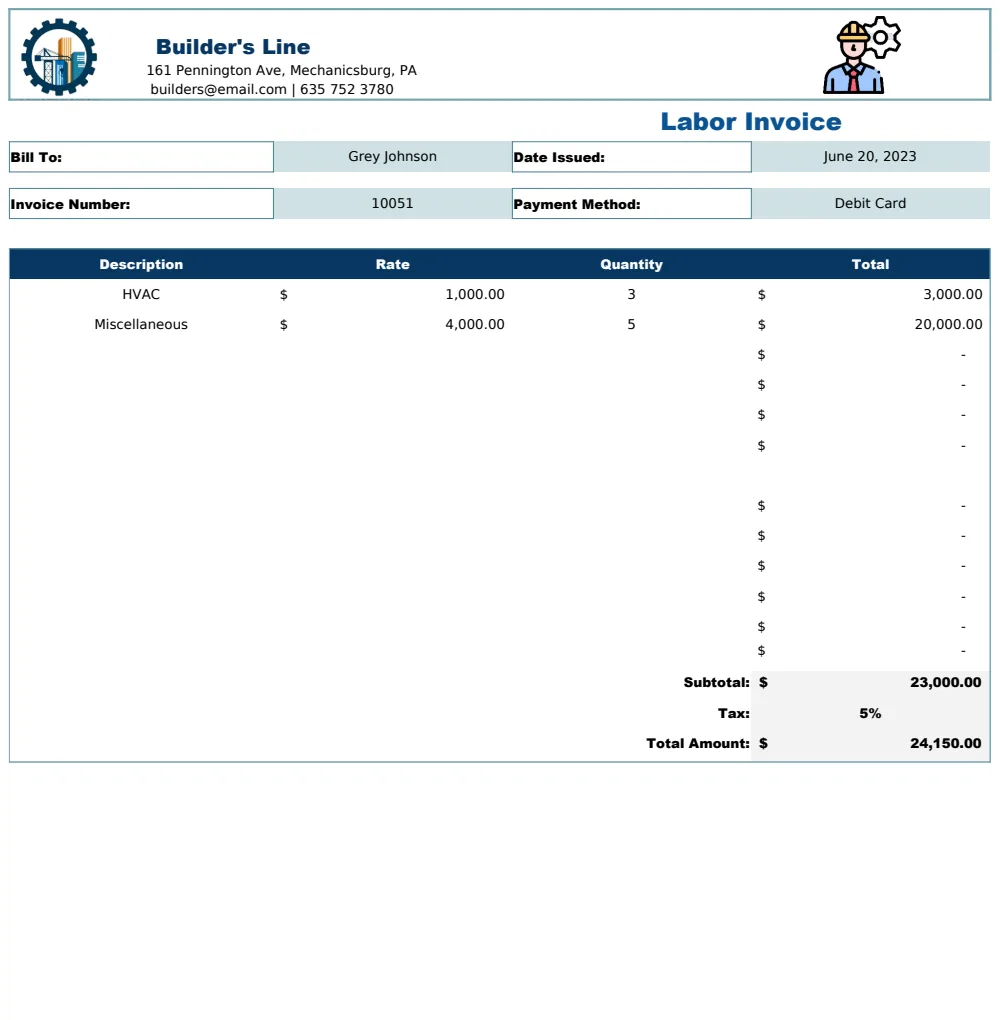
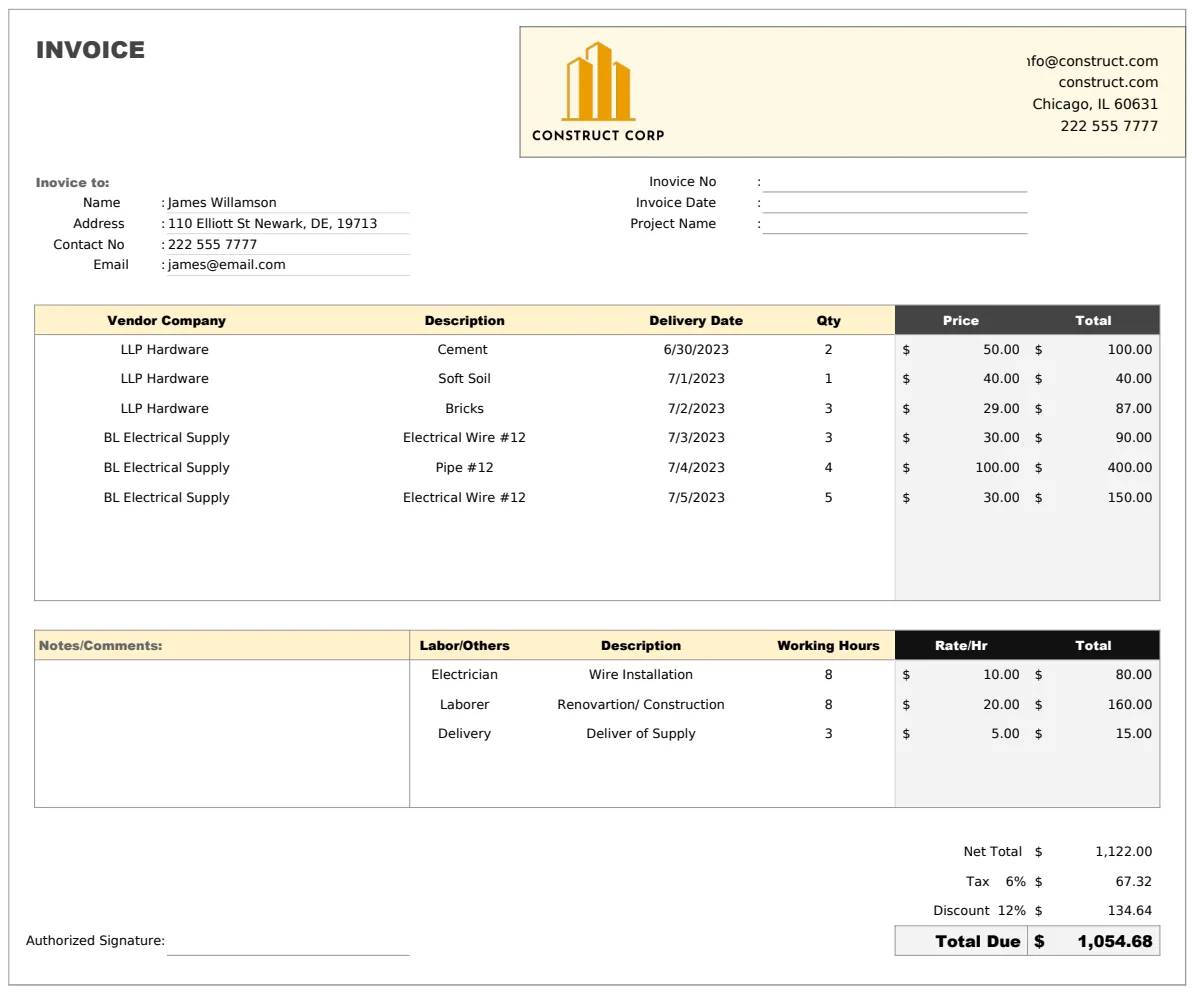
If building a template from scratch feels overwhelming, consider using a pre-built solution. OpenWorksheet offers several templates designed specifically for the construction industry. For instance, the Construction Estimate Invoice Template is designed to handle complex projects, integrating estimate generation with invoicing. It can help you manage supply lists and vendor tracking, which is a significant advantage for larger jobs.
Another option is the Construction Subcontractor Invoice Template. This template is streamlined for subcontractors billing general contractors, ensuring clarity on services and materials provided for a specific phase of a project. If you are a general contractor needing a more all-encompassing billing solution, the Construction Billing Invoice is a solid choice.
These templates come with pre-defined formulas and formatting, saving you hours of setup time. They often include sections for progress billing, retainage, and detailed breakdowns that are standard in construction contracts.
Common Mistakes to Avoid
Even with a template, there are pitfalls that can lead to billing issues. Being aware of these can save you considerable headaches.
- Inconsistent Invoice Numbering: Skipping numbers or reusing them makes tracking difficult and can raise red flags with accounting software or auditors. Maintain a strict, sequential numbering system.
- Vague Descriptions: "Labor" or "Materials" is too broad. Clients need to know exactly what they are paying for. Be specific: "Framing labor for second-floor addition" or "200 linear feet of 2x4 lumber."
- Forgetting Change Orders: Unbilled change orders are a common source of lost revenue. Ensure every approved change is documented and invoiced promptly.
- Incorrect Tax Calculations: Tax laws vary by location and project type. Double-check that you are applying the correct rates.
- Unclear Payment Terms: Ambiguity about when payment is due or what penalties apply for late payments can lead to disputes. State terms clearly and upfront.
- Poor Formatting: A cluttered or unprofessional-looking invoice can undermine client confidence. Ensure your template is clean, easy to read, and branded with your company logo.
Advanced Features and Customization
Once you have the basics down, you can enhance your construction invoice template Excel file.
- Company Branding: Add your company logo in the header. This makes your invoice instantly recognizable and professional. Use the same fonts and colors as your other business materials.
- Progress Billing Sections: For long-term projects, you'll likely bill in phases. Create sections that clearly outline the percentage of completion or milestones achieved for the current billing period.
- Retainage Tracking: Many construction contracts hold back a percentage of the payment until the project is complete. Your template should have a clear way to calculate and track this retainage.
- Payment History Integration: While complex to automate within a single Excel file, you can create a separate tab to log payments received against each invoice. This gives you a quick overview of outstanding balances.
- Data Validation: Use Excel's data validation features to restrict input in certain cells. For example, you can set up quantity cells to only accept numbers, or date cells to only accept valid dates. This further minimizes data entry errors.
Handling Different Project Types
Your template might need slight adjustments depending on the type of construction work. A residential renovation invoice might focus more on detailed material costs and labor hours, while a large commercial project might require line items for permits, specialized equipment, and multiple subcontractors. The flexibility of a construction invoice template Excel sheet allows you to adapt it as needed. For instance, you could create different versions or use a master template with optional sections you can enable or disable. If you frequently deal with subcontractors, a dedicated Construction Subcontractor Invoice Template might be more efficient than adapting a general one.
Integrating with Accounting Software
While Excel is a powerful tool, consider how your invoicing process fits into your broader accounting system. Many accounting programs (like QuickBooks, Xero, or others) can import CSV files. You can export your invoice data from Excel into a CSV format that these programs can read. This avoids double-entry and keeps your financial records consistent. Some advanced Excel templates even use VBA macros to export directly to specific accounting software formats, though this requires more technical expertise.
When to Consider a Paid Solution
If you find yourself spending too much time managing invoices, struggling with complex calculations, or needing features like client portals and online payment processing, it might be time to look at dedicated invoicing software. However, for many small to medium-sized construction businesses, a well-designed construction invoice template Excel file can be perfectly sufficient. OpenWorksheet offers a library of templates, including a Construction Estimate Invoice Template, for a one-time fee of $9, providing unlimited downloads for all your business needs.