Costing sheet format in Excel: how to find the true cost of every product

A batch of granola sells out at the weekend market, the cash box is full, and you still cannot say whether the batch made money. The oats were cheap, the nuts were not, the oven ran for two hours and the rent is due on Monday.
A batch of granola sells out at the weekend market, the cash box is full, and you still cannot say whether the batch made money. The oats were cheap, the nuts were not, the oven ran for two hours and the rent is due on Monday. Most small producers price from a gut feeling or a competitor's shelf tag, and the gap between that price and the true cost is where the profit quietly disappears.
A costing sheet fixes that. It is a structured page that lists every cost of making a product, in a fixed order, until you reach the total cost and the selling price. This guide explains the standard costing sheet format, walks through a full example with real arithmetic, and shows the points where hand-built sheets usually go wrong: waste, overhead, batch size and price changes.
What is a costing sheet format?
A costing sheet (also called a cost sheet) is a statement that shows the cost of a product in stages. Accountants have used the same layout for decades, which is why students, auditors and small business owners all recognise it. It answers one question: what does one unit cost us to make and sell?
The stages, from top to bottom:
- 01Direct materials: the ingredients or components that end up in the product.
- 02Direct labour: wages for the people who make it.
- 03Direct expenses: costs tied to this product alone, such as energy for one oven run or a special tool hire.
- 04Prime cost: the sum of the three lines above.
- 05Factory overheads: rent, utilities and equipment costs of the workshop, spread across products.
- 06Works cost: prime cost plus factory overheads.
- 07Administration overheads: office costs, software, bookkeeping and management time.
- 08Cost of production: works cost plus administration overheads.
- 09Selling and distribution overheads: packaging for delivery, marketing, commissions and delivery costs.
- 10Total cost of sales: cost of production plus selling and distribution overheads.
- 11Profit and selling price: total cost plus the profit you add.
Each stage has a name because each answers a different business question. Prime cost tells you whether the recipe or bill of materials is sensible. Works cost tells you whether production is efficient. Total cost of sales tells you the lowest price you can charge without losing money.
A worked example: one batch of granola
Here is a small food business making 40 bags of granola in one batch. The prices are example figures, so replace them with your own.
Direct materials
- Oats: 8 kg at $2.50 per kg = $20.00
- Nuts and seeds: 2 kg at $12.00 per kg = $24.00, plus a 10% waste allowance for trimming and spillage = $26.40
- Honey: 1.5 kg at $7.00 per kg = $10.50
- Bags and labels: 40 at $0.30 = $12.00
- Total materials: $68.90
Direct labour: 30 minutes of setup plus 90 minutes of mixing, baking and bagging is 2 hours. At a loaded rate of $18.00 per hour (wage plus payroll taxes and benefits), that is $36.00.
Direct expenses: oven energy for the batch, $4.00.
Prime cost: $68.90 + $36.00 + $4.00 = $108.90
Factory overhead. Annual rent, utilities and equipment cost for the kitchen is $12,000. You expect 2,400 labour hours a year, so the rate is $12,000 / 2,400 = $5.00 per labour hour. This batch used 2 hours, so it carries $10.00. Works cost: $118.90.
Administration overhead. Yearly admin costs are $6,000 and yearly prime cost is $120,000, so every $1.00 of prime cost carries $0.05 of admin cost. On this batch: $108.90 × 0.05 = $5.45. Cost of production: $124.35.
Selling and distribution: $0.20 per bag for delivery boxes and market fees, so 40 × $0.20 = $8.00.
Total cost of sales: $132.35 for 40 bags, or $3.31 per bag.
Now the price. If you want a 40% margin, the formula is cost / (1 − margin):
$3.30875 / 0.60 = $5.51, which rounds up to $5.55 at a 5 cent price step.
At $5.55 the actual margin is $2.24 / $5.55 = 40.4%. You would never find that number by looking at a competitor's price tag.
Margin versus markup: the mistake that costs the most
Margin and markup sound alike and give different answers. Margin is profit divided by the selling price. Markup is profit divided by cost.
Take the same bag costing $3.31:
- A 40% markup gives a price of about $4.63. Profit is $1.32, which is only a 28.6% margin.
- A 40% margin needs a price of about $5.51, which equals a 66.7% markup.
Owners who say "I add 40% on top" and then compare the result with a 40% margin target end up under-pricing every product. A good costing sheet shows both numbers side by side and prices to the margin you actually want.
How overhead allocation works
Overhead is the part of costing that most hand-built sheets skip or fudge. The idea is simple: a shared cost needs a fair way to be split between products. You pick a base, divide the annual cost by the annual volume of that base, and each product takes its share.
Common bases:
- Machine hours: best when one machine drives the cost, such as a printer, oven or CNC machine.
- Labour hours: best for hand work where people are the main cost.
- Units made: simple and fair when products are similar in size.
- Percentage of materials: useful for purchasing and storage costs.
- Percentage of prime cost: a common choice for administration overhead.
There is no single correct base. The test is whether a product that uses more of the resource carries more of the cost. A cake that needs three oven hours should not carry the same overhead as a biscuit that needs ten minutes.
Waste, yield and buy units
Three details quietly change a unit cost by a few cents or a few dollars, which is exactly the size of most profit margins.
Waste. Trimming vegetables, spilled powder and cutting offcuts all cost money. A waste allowance on each material line puts the loss into the cost instead of into your bank balance.
Yield. A batch rarely produces exactly the planned number of good units. If 40 bags are planned and 2 are rejected, you divide the cost by 38, not 40.
Buy unit versus usage unit. You buy oats in a 25 kg sack but use them in grams. If the sheet cannot convert units, every recipe needs a hand calculation. A material list with both units fixes this once and for all.
Why unit cost falls as batches get bigger
Setup time is a cost you pay once per batch, whether the batch is 20 units or 80. In our granola example, 30 minutes of setup at $18.00 per hour is $9.00.
- A batch of 20 bags spreads it to $0.45 per bag.
- A batch of 40 bags spreads it to $0.225 per bag.
- A batch of 80 bags spreads it to about $0.11 per bag.
The same effect applies to oven preheating, machine cleaning and any other per-batch cost. Looking at your unit cost across several batch sizes tells you whether a larger batch is worth the extra storage and the risk of leftover stock.
Track supplier prices, not just today's cost
A costing sheet is only correct on the day you build it. Supplier prices move, and a recipe that earned a 40% margin in spring can slip below target by autumn without anyone noticing.
Suppose oats go from $2.50 to $3.00 per kg. This recipe uses 8 kg, so the batch costs $4.00 more, which is $0.10 more per bag. At the $5.55 price your margin drops from 40.4% to 38.6% ($5.55 − $3.41 = $2.14, divided by $5.55). One ingredient moved and nobody touched the price list.
The fix is a price history: log each new supplier price with a date, let the sheet always use the latest price, and review which products moved the most.
Common costing mistakes
- Leaving out your own time. If you make the product yourself, price your hours at a realistic rate.
- Ignoring overhead. Rent, software and insurance are real costs even if no single product pays them directly.
- Costing once and never again. Revisit the sheet whenever a major price changes.
- Mixing up margin and markup. Decide which one you quote and stay consistent.
- Forgetting waste and yield. Both push the real unit cost above the paper cost.
- Using one batch size. The first costing is rarely the most efficient production run.
- Pricing from competitors only. A competitor's price tells you the market ceiling, not your floor.
A ready-made costing sheet for products, food and recipes
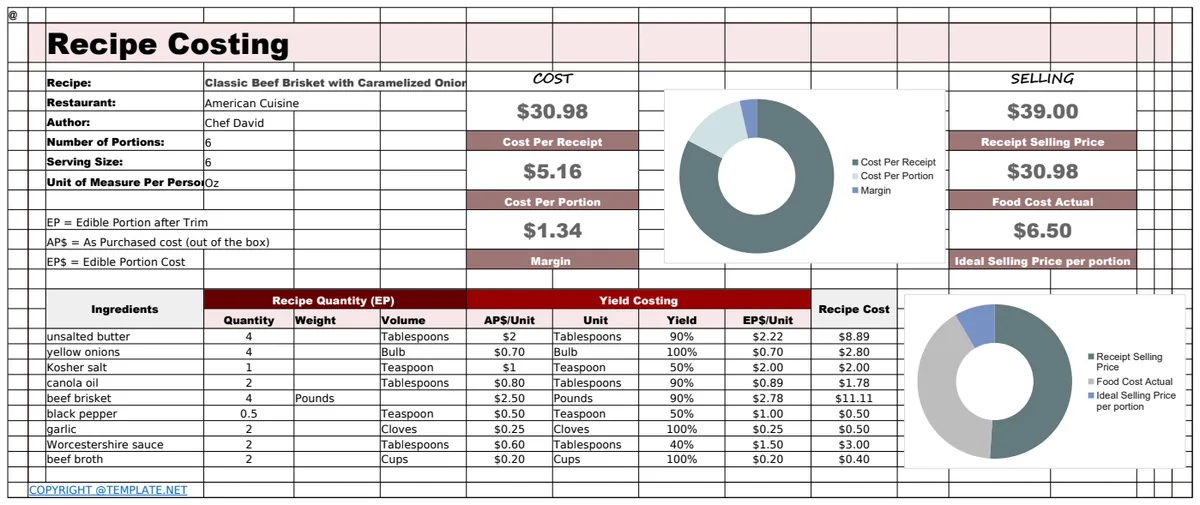
You can build every layer above in a blank workbook, but linking materials, labour, overhead and pricing without a broken reference takes many hours. The Product Costing Sheet Format does it in one Excel file. Each product gets a bill of materials or recipe, its labour steps and a fair share of overhead, and the workbook turns them into the classic cost sheet format with prime cost, works cost, cost of production and total cost of sales.
The Materials tab holds your price list with buy units and usage units. Labour is recorded by operation with setup minutes, minutes per unit and the number of workers, using rates that include payroll taxes and benefits. Overheads are allocated by machine hours, labour hours, units made, percentage of materials or percentage of prime cost. Products show the unit cost, margin and markup at your current price, the price at your target margin and a status of On target, Below target or Below cost. The Cost Sheet tab prints any product in a clean format, Batch & Pricing compares eight batch sizes and Price History shows how much each product's cost moved. It holds up to 30 products and 200 materials, includes sample data from a small food business and contains no macros.
If you need something narrower, these templates solve one part of the problem:
Common questions
What is the cost sheet format in accounting?
It is a statement that builds the cost of a product in stages: direct materials, direct labour and direct expenses give the prime cost, factory overheads give the works cost, administration overheads give the cost of production and selling and distribution overheads give the total cost of sales. Adding profit gives the selling price.
How do I calculate the cost per unit in Excel?
Add materials, labour, direct expenses and allocated overheads for one batch, then divide by the good units the batch produces after yield. A template does this for every product automatically, so you only update prices and quantities.
Can I use a costing sheet as a food costing or recipe costing template?
Yes. Enter ingredients with their buy unit and usage unit, the quantity per batch and a waste allowance, and add labour and overhead if you want the full cost. Without overhead you get the plate or portion cost only, which is useful but understates the real cost.
What is the difference between margin and markup?
Margin is profit divided by the selling price. Markup is profit divided by cost. A 40% margin is the same as a 66.7% markup, and a 40% markup is only a 28.6% margin. Pick one, and price consistently.
How do I allocate overhead to products?
Choose a base that reflects how products use the shared resource, such as machine hours or labour hours. Divide the annual overhead by the annual volume of that base to get a rate, then multiply the rate by each product's own hours, units or cost.
Does it work in Google Sheets?
The workbook is built for Microsoft Excel 2016 or later (desktop or Excel for the web). You can import it into Google Sheets, but sheet protection does not carry over, so locked formulas are easier to overwrite there by accident. The currency label, target margin and price step are editable on the Settings tab, and no tax rates are built in, so it suits any country.
Knowing your true unit cost turns pricing from a guess into a decision, and it shows quickly which products earn their place on the shelf. You can preview the Product Costing Sheet Format free; downloading it is included in the OpenWorksheet monthly plan, along with the rest of the library. Example prices in this guide are illustrations, not recommendations for your market.